
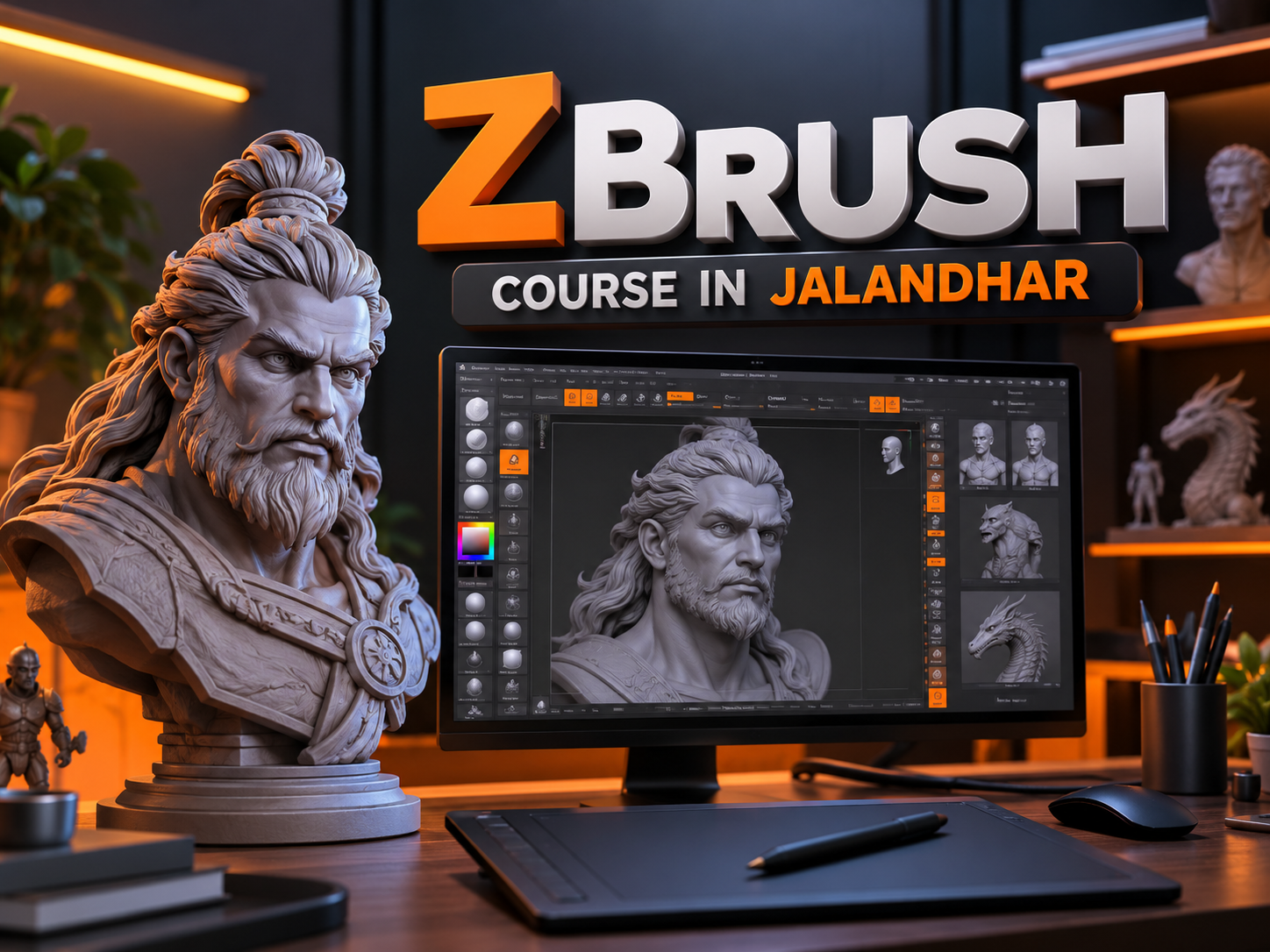
ZBrush Course in Jalandhar
The demand for skilled 3D artists is growing across industries such as animation, gaming, visual effects, filmmaking, product design, and digital entertainment. As studios continue to create realistic characters, detailed environments, and visually engaging digital experiences, learning professional 3D sculpting tools can help students develop valuable creative skills. A ZBrush Course in Jalandhar can be a useful learning option for students, beginners, designers, and aspiring 3D artists who want to explore digital sculpting and character creation.
ZBrush is a professional digital sculpting and painting software widely used to create detailed 3D models. Unlike traditional polygon modeling workflows that often focus on manipulating individual vertices and edges, ZBrush allows artists to sculpt digital surfaces using brushes that feel similar to working with clay. Artists can create realistic human faces, creatures, stylized characters, props, and intricate surface details.
For students interested in building a career in 3D modeling, animation, or game art, learning ZBrush can provide a strong foundation in digital sculpting techniques. With structured training, practical exercises, and consistent practice, learners can understand the software and develop a portfolio that demonstrates their artistic abilities.
IAM provides a learning environment for students interested in creative and digital design skills. By exploring a ZBrush Course in Jalandhar, learners can work toward understanding 3D sculpting fundamentals, improving their artistic techniques, and preparing for opportunities in creative industries.
What Is ZBrush?
ZBrush is a digital sculpting and painting application developed by Maxon. It is known for its ability to handle highly detailed 3D models and is widely used in character design, creature creation, concept art, and digital production workflows.
The software allows artists to shape digital objects by adding, removing, smoothing, and refining virtual material. This makes it particularly useful for creating organic models, including faces, muscles, skin textures, animals, fantasy creatures, and stylized characters.
ZBrush also supports workflows that combine sculpting with traditional 3D modeling techniques. Artists can develop basic forms, refine silhouettes, add intricate details, and prepare models for further production in compatible applications.
Some common applications of ZBrush include:
Character Sculpting: Creating realistic or stylized human and humanoid characters.
Creature Design: Developing imaginative creatures for films, games, and animation.
Digital Clay Sculpting: Shaping organic forms using digital brushes.
Surface Detailing: Adding wrinkles, pores, scales, folds, and other surface features.
Game Asset Creation: Sculpting detailed models that can be optimized for game engines.
Concept Art: Turning creative ideas into three-dimensional visual models.
3D Printing Preparation: Creating suitable models for certain physical fabrication workflows.
Learning these applications helps students understand how digital sculpting contributes to modern creative production.
Why Choose a ZBrush Course in Jalandhar?
Jalandhar is home to students, graduates, working professionals, and creative individuals interested in developing practical digital skills. A structured ZBrush Course in Jalandhar can help learners move beyond basic software familiarity and develop a more organized approach to 3D sculpting.
Learning through a course can be especially beneficial for beginners who are unfamiliar with three-dimensional forms, digital brushes, and sculpting workflows. Instead of attempting to master every feature independently, students can follow a learning sequence that begins with simple shapes and progresses toward more complex models.
Key Reasons to Learn ZBrush
Develop practical skills: Understand digital sculpting tools and workflows through guided exercises.
Improve artistic abilities: Learn to observe proportions, anatomy, shapes, and surface details.
Explore creative careers: Build relevant skills for character art, gaming, animation, and visual effects.
Create portfolio projects: Develop original models that demonstrate your progress.
Understand industry workflows: Learn how sculpted models can fit into broader 3D production pipelines.
Build technical confidence: Become more comfortable working with complex 3D objects and detailed surfaces.
For students who enjoy drawing, designing characters, creating digital art, or experimenting with 3D software, ZBrush can be an exciting addition to their creative skill set.
What Will You Learn in a ZBrush Course?
A ZBrush Training in Jalandhar should introduce students to the software gradually, starting with its interface and basic sculpting tools before moving into detailed modeling and project development.
The exact syllabus depends on the institute and course structure, but the following topics provide a useful overview of the skills learners can aim to develop.
1. Introduction to the ZBrush Interface
The first stage involves understanding the software environment and learning how to navigate it efficiently.
Students can become familiar with:
The ZBrush interface and essential panels.
Viewport navigation, zooming, and rotating models.
Basic project and document management.
Understanding 3D objects and sculpting surfaces.
Selecting and organizing commonly used tools.
Saving projects and managing versions.
Understanding the interface helps beginners work more confidently and reduces confusion when moving to advanced exercises.
2. Digital Sculpting Fundamentals
Digital sculpting is the foundation of ZBrush. Students learn how to shape basic forms and develop a sense of volume, proportion, and surface structure.
Important topics may include:
Understanding digital clay and sculpting workflows.
Using brushes to add or remove volume.
Smoothing surfaces and correcting rough forms.
Working with symmetry for balanced models.
Developing primary, secondary, and tertiary forms.
Refining silhouettes and overall proportions.
These techniques help learners transform simple shapes into recognizable objects and characters.
3. Understanding Sculpting Brushes
Brushes are essential tools for creating different forms and details in ZBrush. Each brush serves a particular purpose, and understanding their uses helps artists work more efficiently.
Students may explore:
Standard brushes for shaping surfaces.
Clay-style brushes for adding volume.
Move brushes for adjusting proportions.
Smooth brushes for refining surfaces.
Dam-style brushes for creating creases.
Pinch and detailing brushes for sharper forms.
Specialized brushes for skin, scales, and surface textures.
Learning when and how to use each brush is important. Good sculpting is not simply about adding detail; it also involves maintaining clear forms and believable proportions.
4. Human Anatomy and Character Sculpting
Human anatomy is an important area for artists interested in 3D character modeling. A basic understanding of facial structure, muscles, and body proportions can improve the quality of digital sculptures.
A ZBrush Course in Jalandhar may include exercises focused on:
Basic head and facial forms.
Facial proportions and feature placement.
Understanding the structure of the nose, eyes, ears, and mouth.
Creating stylized or realistic facial features.
Developing body proportions and anatomical forms.
Refining expressions and character silhouettes.
Beginners do not need to master complex anatomy immediately. Starting with simple forms and studying references can help them gradually develop stronger modeling skills.
5. Character and Creature Design
Character design combines artistic imagination with technical sculpting. ZBrush is particularly useful for creating unique characters, fantasy creatures, monsters, and stylized figures.
Students can practise:
Converting sketches or concepts into 3D forms.
Establishing the primary shape of a character.
Creating distinctive facial features.
Developing horns, scales, armor, and other details.
Maintaining consistent proportions.
Refining the model for presentation.
These exercises encourage students to develop their own creative style while learning the technical processes used in digital sculpting.
6. High-Detail Sculpting and Surface Textures
Once the main structure of a model is complete, artists can add secondary and fine details. These details should support the form rather than make the model unnecessarily complicated.
Common detailing techniques include:
Creating wrinkles and skin folds.
Adding pores and subtle surface irregularities.
Sculpting fabric folds and clothing details.
Developing rough or smooth material surfaces.
Adding patterns and decorative elements.
Using alphas and suitable brushes to create textures.
Understanding the relationship between large forms and small details helps artists produce more convincing results.
7. SubTools, Layers, and Model Organization
Complex models often contain multiple components. ZBrush provides features that help artists organize and refine different parts of a project.
Learners may study:
Organizing models with SubTools.
Separating different character components.
Using sculpting layers where appropriate.
Managing visibility and selection.
Working with masks and polygroups.
Keeping projects organized during development.
These techniques are useful when creating characters with separate clothing, accessories, armor, or other components.
8. Retopology and Model Optimization
Highly detailed sculpted models may contain too much geometry for certain production requirements. Retopology helps create a more manageable mesh suitable for downstream tasks.
Topics may include:
Understanding high-poly and low-poly models.
Learning the purpose of retopology.
Exploring ZRemesher and other remeshing workflows.
Using subdivision levels appropriately.
Understanding mesh density and edge flow.
Preparing assets for animation or game production.
The required topology depends on how the model will be used. A model intended for animation may need different preparation from one designed primarily for rendering or 3D printing.
9. Polypainting and Material Presentation
Polypainting allows artists to paint color information directly onto a model's polygons. ZBrush also provides tools for exploring material appearance and presenting sculpted assets.
Students may learn about:
Applying colors to sculpted surfaces.
Using masks during painting.
Creating variations in skin and surface color.
Exploring materials and lighting.
Improving the presentation of a model.
Preparing clear screenshots or renders for a portfolio.
Color and presentation can help communicate the character's personality, material properties, and overall design.
10. Exporting Models and Understanding Production Pipelines
ZBrush is often used alongside other creative applications. Learning how to transfer models between software tools can help students understand the broader 3D production process.
Relevant topics include:
Exporting models in appropriate formats.
Understanding OBJ and FBX workflows where applicable.
Preparing assets for other 3D applications.
Learning the basics of texture baking and displacement workflows.
Understanding how sculpted models can move into rendering, animation, or game engines.
Recognizing the differences between sculpting, retopology, rigging, and rendering.
These skills can help students understand how their ZBrush work contributes to a complete digital project.
Who Should Join a ZBrush Course in Jalandhar?
A ZBrush Course in Jalandhar may be suitable for individuals who want to explore 3D sculpting or strengthen their existing creative skills.
Potential learners include:
Students interested in animation, digital art, gaming, and visual effects.
Beginners who want to start learning digital sculpting.
Graphic designers interested in expanding into three-dimensional artwork.
3D modelers who want to improve organic modeling and detailing techniques.
Animation enthusiasts interested in character creation.
Game art aspirants interested in creating characters, creatures, and props.
Working professionals looking to add another tool to their workflow.
Previous experience in drawing or 3D modeling can be helpful, but beginners can start by learning the fundamentals. Patience, regular practice, and a willingness to study forms are important for progress.
Career Opportunities After Learning ZBrush
Learning ZBrush can support a range of creative career paths. However, employment opportunities depend on practical ability, portfolio quality, experience, and the requirements of individual employers.
Students completing a ZBrush Training Course in Jalandhar can explore the following roles as they develop their skills.
1. 3D Character Artist
Character artists create digital characters for games, animation, films, and other visual projects. They work on proportions, anatomy, facial features, clothing, and surface details.
2. Digital Sculptor
Digital sculptors specialize in creating detailed three-dimensional forms. Their work may include characters, creatures, collectibles, statues, and concept models.
3. Game Artist
Game artists create assets that support interactive experiences. ZBrush can be used to sculpt detailed models before they are optimized and integrated into a game production pipeline.
4. Creature Artist
Creature artists design and sculpt fictional animals, monsters, and other imaginative beings. This role often requires a strong understanding of anatomy, shape language, and creative design.
5. 3D Modeler
3D modelers create digital objects for games, animation, product visualization, and other applications. ZBrush is particularly useful for organic modeling and adding detailed surface features.
6. Visual Effects Artist
Visual effects artists work on digital elements used in films, advertisements, and other media. ZBrush can support the creation of creatures, characters, props, and detailed assets within a broader VFX workflow.
7. 3D Printing and Collectible Design Artist
Digital sculpting skills can also be applied to certain collectible figures, miniature designs, and printable sculptures. Artists must understand model integrity, scale, wall thickness, and other requirements relevant to the intended fabrication process.
Important: Learning ZBrush alone does not guarantee employment. Students should also develop complementary skills such as anatomy, topology, texturing, lighting, rendering, and relevant software knowledge.
Why Practical Projects Matter in ZBrush Training
Watching tutorials can help students understand individual tools, but creating complete projects is essential for developing practical ability. A project-based learning approach encourages learners to apply multiple techniques to solve real modeling challenges.
As part of a ZBrush Course in Jalandhar, students can aim to build a collection of projects that demonstrate their progress.
Useful practice projects include:
A basic sculpted head showing facial proportions.
A stylized character with distinctive features.
A creature bust with carefully developed forms.
A detailed sculpt featuring skin or surface textures.
A fantasy object or decorative prop.
A high-poly model with a suitable low-poly version.
A final presentation showing the model from multiple angles.
For every project, students should save work-in-progress versions and compare the final model with their initial reference or concept.
A strong portfolio should emphasize quality, originality, and a clear understanding of form. A few well-developed models can communicate skills more effectively than a large collection of unfinished experiments.
How to Build a ZBrush Portfolio
A portfolio is an important tool for demonstrating creative ability to studios, employers, and potential clients. Students should begin documenting their projects while learning rather than waiting until the course is complete.
Follow these steps to develop a more effective portfolio:
Choose a clear project goal: Decide whether you want to create a realistic character, a stylized creature, or a detailed prop.
Collect references: Study relevant photographs, sketches, anatomy resources, and design examples.
Start with primary forms: Focus on the silhouette and overall proportions before adding details.
Refine the structure: Improve the anatomy, shapes, and surface transitions.
Add details carefully: Use wrinkles, textures, and decorative elements only where they strengthen the design.
Present the model clearly: Include front, side, and three-quarter views where useful.
Show your process: Include selected screenshots that demonstrate how the model developed.
Review your work: Identify weaknesses and make improvements before publishing the final project.
A portfolio can be shared through an appropriate online portfolio platform or used when applying for internships, entry-level positions, and freelance opportunities.
Tips for Beginners Learning ZBrush
Starting a new digital sculpting application can feel challenging, especially when working with complex 3D forms. Developing a consistent routine can make learning easier and more productive.
Here are some useful tips:
Practise regularly: Short, consistent practice sessions can help you become familiar with the tools.
Learn forms before details: Focus on silhouette, proportion, and volume before sculpting tiny surface features.
Use references: Study real objects, photographs, and anatomy references to improve accuracy.
Experiment with brushes: Learn how different brushes affect the model rather than relying on one tool.
Study anatomy: Even stylized characters benefit from an understanding of underlying structure.
Keep your projects organized: Save different versions and maintain backups.
Learn from feedback: Ask experienced artists or instructors to review your models.
Study complete workflows: Understand how sculpting connects with topology, texturing, and presentation.
Avoid rushing: Good sculpting develops through observation, repetition, and thoughtful refinement.
Students should also understand that digital sculpting is both a technical and artistic discipline. Knowing the software is important, but developing an eye for shape, balance, and detail is equally valuable.
Why Consider IAM for ZBrush Learning in Jalandhar?
When selecting a training institute, students should consider the course structure, practical learning opportunities, instructor guidance, software access, and the scope for portfolio development.
IAM is an option for learners exploring creative and digital design training in Jalandhar. Before enrolling in a ZBrush Course in Jalandhar, prospective students should review the current syllabus and confirm the availability of ZBrush-specific instruction.
Consider asking about the following points:
Course syllabus: Does the programme cover digital sculpting from basic to advanced concepts?
Practical assignments: Will students complete individual sculpting projects?
Instructor support: Is guidance available when learners face technical or artistic challenges?
Portfolio development: Does the course include projects suitable for showcasing skills?
Software access: What software and computer facilities are available for practice?
Course duration: How much time is allocated to each topic and project?
Career guidance: Is assistance available with portfolio preparation and job applications?
Choosing a programme after reviewing these details can help students make a more informed decision about their training.
At IAM, interested learners can enquire about current course availability, fees, duration, eligibility, and the training format before making a final decision.
ZBrush and Other 3D Design Software
ZBrush is particularly strong in digital sculpting, but a complete 3D production workflow may involve several applications. Understanding the purpose of each tool helps students plan their learning journey.
Software Common use ZBrush Detailed digital sculpting and organic modelling Blender Modellingg, sculpting, animation, rendering, and general 3D productionAutodesk Maya Character animation, modeling, rigging, and production workflows Autodesk 3ds Max Modeling, visualization, animation, and design workflows Substance 3D Painter Texture painting and material authoring Unreal Engine Real-time visualization and interactive experiences
The best combination depends on the learner's career goals. For example, an aspiring character artist may focus on ZBrush, retopology, texturing, and presentation, while a game artist may also need to understand game engines and asset optimization.
Students do not need to learn every application at once. Building a strong foundation in one tool and gradually adding complementary skills is often a more manageable approach.
Conclusion
A ZBrush Course in Jalandhar can be a valuable learning path for students and creative professionals who want to explore digital sculpting, 3D character design, creature modeling, and other forms of digital artwork. By learning the software's core tools and practising with structured projects, students can gradually improve their understanding of three-dimensional forms and develop more detailed, expressive models.
From understanding the interface and sculpting brushes to exploring anatomy, surface detailing, retopology, and portfolio development, each stage contributes to a stronger foundation in digital art. Students can further strengthen their skills by learning complementary tools and studying the workflows used in gaming, animation, and visual effects.
IAM can be considered by learners exploring creative training opportunities in Jalandhar. Before enrolling, confirm the availability of ZBrush training and review the syllabus, practical assignments, and learning facilities.
With consistent practice, thoughtful feedback, and a well-developed portfolio, aspiring artists can work toward building the skills needed to pursue opportunities in the growing field of 3D design and digital sculpting.
Learn Professional 3D Sculpting with a ZBrush Course in Jalandhar
Explore digital sculpting, character creation, creature modeling, and detailed 3D design with a ZBrush Course in Jalandhar. Develop practical creative skills and work toward building a portfolio for opportunities in gaming, animation, and visual effects. Contact IAM to enquire about course availability and training details.
Tell us whatyou wantto create.
A few lines about yourself and the course you're interested in. Our admissions team replies within two working days, and you can book a free campus visit or demo class.
Call admissions→Or send an enquiry to your nearest campus- Phone
- +91 98881 22241
- Address
- 1st Floor, IAM, Crystal Plaza, SCS 78, opp. PIMS Hospital, Jalandhar, Punjab 144001