
How to Plan, Shoot and Finish a Short Film in Jalandhar, Start to End
Film & Editing · Nidhi Jalandhar · 27 October 2026
Discover how to plan, shoot and finish a short film in Jalandhar, from developing a story and writing a screenplay to filming, editing, sound design and final export. Explore practical filmmaking steps with IAM (Institute of Animation and Multimedia).
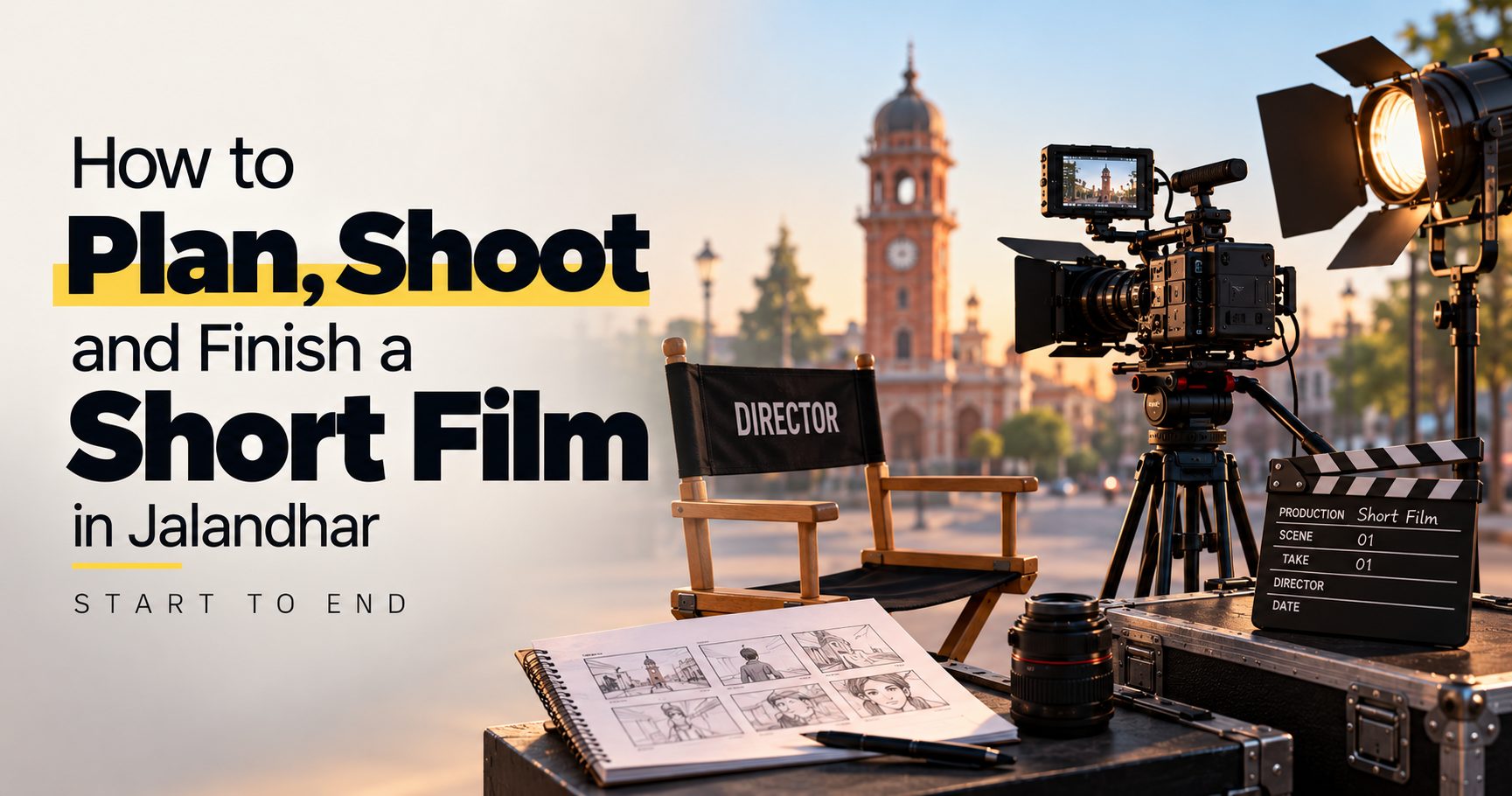
How to Plan, Shoot and Finish a Short Film in Jalandhar: Start to End
Making a short film is an exciting way to turn an idea into a visual story. Whether you want to create a student film, a short drama, a documentary or a creative video for your portfolio, filmmaking involves much more than pointing a camera and recording footage. You need a clear story, proper planning, thoughtful cinematography, organised production and careful post-production.
If you are interested in learning filmmaking in Jalandhar, understanding the complete process can help you approach your first project with confidence. At IAM (Institute of Animation and Multimedia), aspiring filmmakers can enquire about relevant film production and multimedia training opportunities.
This guide explains how to take a short film from the first idea to the final export.
Step 1: Start With a Strong Story Idea
Every short film begins with an idea. You do not need an expensive location, a large cast or complicated visual effects to make an engaging film. A relatable character, a clear conflict and an interesting ending can be enough.
Start by asking yourself three questions:
What is the film about?
Who is the main character?
What changes by the end of the story?
For example, you could create a short film about a college student who misses an important opportunity because of a misunderstanding. Another idea could follow a photographer who discovers something unexpected while reviewing their pictures.
Choose a concept that can be communicated within your intended running time. For a first project, a story with a small cast and a limited number of locations can make production easier to manage.
Step 2: Write the Script and Screenplay
Once you have an idea, develop it into a structured story. A screenplay describes what the audience sees and hears, including scenes, dialogue, character actions and important sounds.
A simple short-film structure includes:
Beginning: Introduce the main character, setting and situation.
Middle: Present a problem, conflict or decision that moves the story forward.
Ending: Resolve the central situation or deliver a meaningful final moment.
Write dialogue that sounds natural and supports the story. Avoid explaining everything through conversations when an action, expression or visual detail can communicate the same information.
Read the script aloud and estimate the running time. As a rough planning guide, one screenplay page often corresponds to about one minute of screen time, although pacing and action can change this significantly.
Step 3: Create a Budget and Production Plan
A production plan helps you understand what resources are required before filming begins. Even a small independent film benefits from a basic budget and schedule.
List the essential requirements, including:
Camera or smartphone and supporting equipment
Microphone and audio recording equipment
Lighting and power arrangements
Actors and crew
Locations and permissions
Props, costumes and set dressing
Transport, meals and other production expenses
Editing, storage and backup requirements
Decide which resources you already have and which ones need to be borrowed, rented or arranged. Prioritise clear storytelling and good sound rather than spending unnecessarily on equipment.
Create a simple production calendar with deadlines for scripting, rehearsals, shooting, editing and final delivery.
Step 4: Plan Every Scene Before the Shoot
Pre-production is where you prepare the film for an organised shoot. Good preparation reduces confusion on set and helps you avoid unnecessary reshoots.
Prepare a shot list
A shot list records the individual shots needed for each scene. It may include wide shots to establish a location, medium shots for conversations and close-ups to capture important expressions or details.
For every shot, note the scene, camera framing, movement, location and any special equipment required.
Create a storyboard
A storyboard uses simple drawings or reference images to show how important shots will look. You do not need advanced drawing skills. Basic sketches can communicate camera angles, character positions and movement.
Scout your locations
Visit each location before filming. Check available light, background noise, space for equipment, power access and any restrictions on filming.
If you are filming around Jalandhar, choose locations that support the story and can be accessed safely and legally. Obtain permission before filming on private property or in locations where authorisation is required.
Prepare a shooting schedule
Group scenes by location and cast availability where practical. Films are not always shot in the order they appear in the final story, so a schedule helps make the best use of time.
Step 5: Choose Your Camera and Equipment
You can shoot a short film with a smartphone, DSLR, mirrorless camera or professional cinema camera. The best choice depends on your budget, experience and production requirements.
Focus on the fundamentals:
Resolution and frame rate: Choose recording settings that suit the intended delivery platform and the visual style of the film.
Stability: Use a tripod or other appropriate support when a steady shot is needed.
Focus and exposure: Check that subjects remain in focus and that important details are not lost in excessively bright or dark areas.
Composition: Place subjects intentionally within the frame and pay attention to the background.
Storage and batteries: Carry sufficient storage, charged batteries and backups for important equipment.
Before the main shoot, record a short test and review it on a larger screen. This helps identify focus, exposure, colour and audio issues before they affect an entire scene.
Step 6: Understand Cinematography and Lighting
Cinematography determines how a story is visually presented. Camera position, framing, movement, lens choice and lighting all influence how the audience experiences a scene.
Start with a few essential techniques:
Use wide shots to establish the setting.
Use medium shots to show characters interacting.
Use close-ups to capture expressions and important details.
Maintain consistent screen direction when filming conversations.
Use camera movement only when it serves the story.
Keep lighting consistent between shots that belong to the same scene.
Natural light can work well, particularly for beginners, but changing sunlight may create continuity problems. Reflectors, diffusers and basic lights can help control the look of a shot.
Think about the mood you want to create. Soft light can produce a gentle appearance, while harder directional light can create stronger shadows and tension. Test lighting before filming important scenes.
Step 7: Record Clear Dialogue and Sound
Poor sound can distract viewers even when the footage looks impressive. Audio should be treated as a central part of production rather than an afterthought.
Whenever possible, use an external microphone positioned appropriately for the speaker. Monitor the audio with headphones and check for traffic, wind, fans, echoes and other unwanted noise.
Record a few seconds of room tone at each location. This provides a reference for the background sound when editing.
You may also need separate recordings of footsteps, doors, environmental sounds and other effects. These details help make the final film feel more complete.
Always review test recordings before shooting the full scene. If dialogue is unclear, changing microphone placement or reducing background noise is often more effective than trying to fix everything later.
Step 8: Direct Actors and Manage the Shoot
A director helps translate the screenplay into performances and visual decisions. You do not need to give complicated instructions to achieve a strong performance.
Explain what a character wants in the scene, what they are feeling and how their behaviour changes. Allow actors to rehearse important moments before recording.
During the shoot:
Brief the cast and crew about the scene.
Check framing, focus, lighting and sound.
Record multiple takes when necessary.
Capture close-ups and reaction shots that support the edit.
Review important takes before moving to the next setup.
Maintain a record of completed scenes and any required retakes.
Keep track of the footage so the editor can identify useful takes later. A simple scene and take log can save considerable time during post-production.
Step 9: Organise and Back Up Your Footage
After filming, transfer the recorded media to an organised storage location. Do not rely on a single memory card, phone or external drive as the only copy of important footage.
Create folders for footage, audio, music, project files, graphics and exports. Use consistent filenames so that scenes and takes are easy to identify.
Maintain at least two copies of important media on separate storage devices, ideally with an additional backup in another secure location.
Before formatting any memory card, verify that the copied files are complete and can be opened. Good file management protects your work and makes editing more efficient.
Step 10: Edit the Film
Editing transforms individual shots into a coherent story. You can use suitable editing software based on your needs, experience and budget.
Begin with a rough cut. Arrange the scenes in story order and focus on whether the narrative makes sense. Do not spend too much time on transitions or effects before the basic story works.
Next, refine the edit by:
Removing unnecessary pauses and repeated information
Choosing the strongest performances
Improving the pace of each scene
Checking continuity between shots
Adding cutaways and reaction shots where useful
Refining the beginning and ending
Reviewing the complete film from the audience's perspective
A good edit is not necessarily the one with the most effects. Every cut should help the story, performance, pacing or emotional impact.
Step 11: Add Sound Design, Music and Colour Correction
Once the main edit is working, refine the sound and image.
Sound editing and mixing
Clean dialogue where possible, balance audio levels and add relevant ambient sound or effects. Music can support emotion and pacing, but it should not overpower dialogue.
Use music and sound effects that you have permission to use. Check licensing terms before publishing the film online or entering it into a festival.
Colour correction and grading
Colour correction helps balance exposure, white balance and colour between shots. Colour grading then creates a more deliberate visual style.
Start with consistent skin tones, natural-looking exposure and matching shots from the same scene. Apply creative looks only after the footage is reasonably balanced.
Avoid excessive colour effects that reduce detail or make shots inconsistent.
Step 12: Add Titles, Credits and Final Finishing
The finishing stage prepares the film for delivery. Add the opening titles, end credits, production acknowledgements and other required text.
Review spelling, names, music credits and any permissions or acknowledgements. Check that titles remain readable and do not obscure important visual information.
If the film includes visual effects, subtitles or graphics, review them carefully for errors and inconsistent positioning.
Watch the complete film from beginning to end. A fresh review can reveal problems that were easy to miss while editing individual scenes.
Step 13: Export and Review the Final Film
Export settings depend on where you plan to publish the film. Online platforms, screenings and festivals may have different technical requirements.
Before exporting, confirm:
Video resolution and aspect ratio
Frame rate and playback consistency
Suitable video and audio codecs
Audio levels and channel configuration
Correct beginning and ending
Subtitle and credit accuracy
Final filename and version
Watch the exported file rather than checking only the editing timeline. Look for missing frames, audio issues, visual glitches, incorrect titles and unexpected black screens.
Keep a high-quality master file and create separate delivery versions when needed. Always check the specific requirements of the platform or festival receiving your film.
Common Mistakes to Avoid When Making a Short Film
Starting without a finished script: Unclear storytelling can cause unnecessary reshoots and inconsistent scenes.
Ignoring audio: Background noise and unclear dialogue can weaken the final result.
Overcomplicating the first project: Too many locations, characters and effects can make a small production difficult to complete.
Skipping pre-production: Missing props, unavailable locations and incomplete shot lists can waste shooting time.
Using effects to hide story problems: Visual effects cannot replace a clear narrative and convincing performances.
Failing to back up footage: Lost files can delay or permanently damage a project.
Exporting without checking: A final review helps catch errors before the film is shared publicly.
How IAM in Jalandhar Can Fit Into Your Filmmaking Journey
Learning filmmaking involves developing both creative judgement and technical skills. Understanding story structure, camera operation, lighting, sound recording and editing can help you approach projects in a more organised way.
At IAM (Institute of Animation and Multimedia) in Jalandhar, prospective learners can enquire about relevant filmmaking, video production, editing and multimedia training opportunities.
Before choosing a programme, ask about the curriculum, practical assignments, available equipment, software, instructor support and opportunities to complete projects. This will help you understand how the training matches your interests and experience level.
Frequently Asked Questions
1. How do I make a short film from start to finish?
Start with an idea and screenplay, plan your budget and locations, prepare a shot list, film the scenes, back up your footage, edit the story, refine sound and colour, and export and review the finished film.
2. Can I make a short film with a smartphone?
Yes. A smartphone can be sufficient for a short film when you pay attention to framing, stable shots, lighting, clear audio and story development.
3. How long should a short film be?
There is no single required duration. Your film can be a few minutes long or longer, depending on the story and the intended audience or festival requirements.
4. What equipment is needed for a beginner filmmaker?
Basic equipment may include a smartphone or camera, a tripod, a suitable microphone, headphones, simple lighting and enough storage for recording and backups.
5. Which software can I use to edit a short film?
Options include DaVinci Resolve, Adobe Premiere Pro and other suitable video-editing applications. Choose software based on your needs, experience, system compatibility and budget.
6. Why is pre-production important?
Pre-production helps organise the script, schedule, cast, locations, equipment and shot requirements before filming. It can reduce delays and avoidable reshoots.
7. Where can I explore filmmaking training in Jalandhar?
You can contact IAM (Institute of Animation and Multimedia) to enquire about relevant filmmaking and multimedia programmes, course availability and practical learning opportunities.
Turn Your Film Idea Into a Finished Project
A successful short film does not need the biggest budget or the most expensive camera. It needs a clear idea, thoughtful preparation, purposeful cinematography, understandable sound and a well-finished edit.
By following the process from planning and shooting to post-production and final delivery, you can build practical experience and create a film that demonstrates your storytelling abilities.
Interested in exploring filmmaking and multimedia skills in Jalandhar? Contact IAM (Institute of Animation and Multimedia) to enquire about relevant courses, training details and upcoming batches.
- Short Film Making
- Filmmaking
- Film Production
- Short Film Planning
- Scriptwriting
- cinematography
- Camera Techniques
- Film Lighting