"YouTube Video Editing Course in Ludhiana "
YouTube Video Editing Course in Ludhiana: Start a Creator Career with Professional Skills
Meta title: YouTube Video Editing Course in Ludhiana | Learn Editing, Thumbnails & Channel Growth
Meta description: Join the YouTube video editing course in Ludhiana. Learn Premiere Pro, DaVinci Resolve, Shorts editing, thumbnails, sound design and SEO with live projects and placement support.
Focus keyword: YouTube video editing course in Ludhiana
Secondary keywords: video editing course in Ludhiana, YouTube editing training, Premiere Pro course, Shorts and Reels editing, thumbnail design, YouTube SEO, content creator course, video editor jobs
Why Learn YouTube Video Editing in Ludhiana?
Every minute, creators upload hundreds of hours of video to YouTube. Behind every successful channel is a skilled editor who knows how to hold attention, build a story and keep viewers watching. In Ludhiana, local businesses, brands, educators and influencers are all moving to video, so the demand for trained editors keeps growing.
Our YouTube video editing course in Ludhiana is designed for students, graduates, working professionals and aspiring creators who want to turn editing into a real career or grow their own channel. You learn the full process, from raw footage to a published, optimised video.
Who Is This Course For?
Students who want a creative career after 12th or graduation
Aspiring YouTubers and Instagram creators
Freelancers who want to offer video editing services
Business owners who want to produce their own marketing videos
Working professionals looking to switch into the media industry
No prior editing experience is needed. We start with the basics and build up to professional-level work.
What You Will Learn in the YouTube Video Editing Course
1. Video Editing Fundamentals
Understand timelines, cuts, transitions, aspect ratios, frame rates, resolutions and export settings. You learn how YouTube compresses video and which settings give the best quality.
2. Adobe Premiere Pro Training
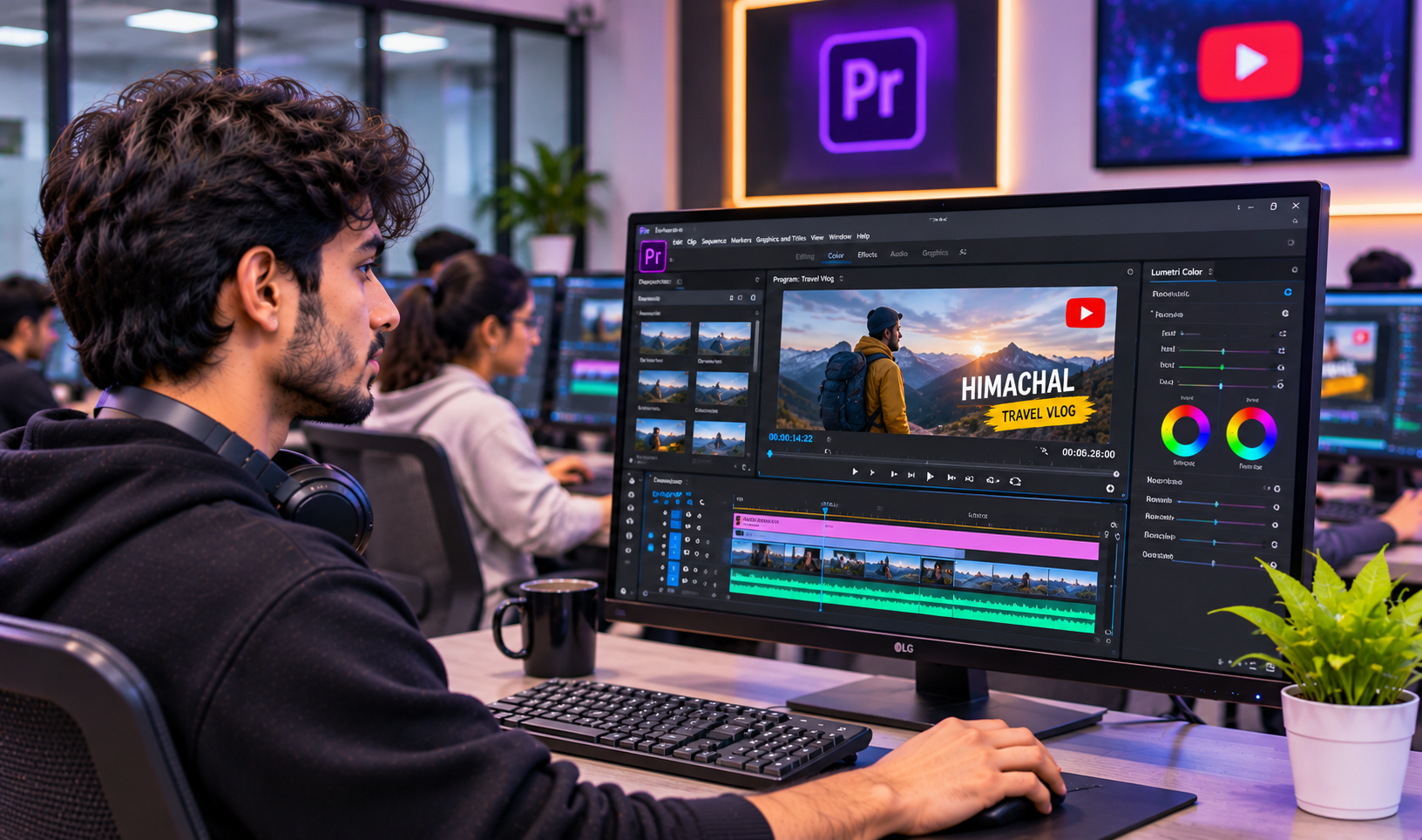
Premiere Pro is the industry-standard software for YouTube editors. You learn multi-camera editing, keyframe animation, speed ramping, masking, nested sequences and efficient shortcuts that save hours.
3. DaVinci Resolve and Mobile Editing
Explore DaVinci Resolve for free, powerful editing and colour work, plus mobile editing apps for fast Shorts and Reels turnarounds.
4. Colour Correction and Colour Grading
Learn to fix exposure and white balance, match shots from different cameras, and apply cinematic looks that make your videos stand out.
5. Sound Design and Audio Cleanup
Great audio keeps viewers watching. You learn noise removal, voice enhancement, background music mixing, sound effects and audio ducking.
6. Motion Graphics and Text Animation
Create animated titles, lower thirds, subtitles, callouts and logo animations using After Effects basics and built-in tools.
7. YouTube Shorts, Reels and Short-Form Editing
Short-form content drives huge reach. Learn vertical framing, fast-paced storytelling, captions, hooks and trending formats.
8. Thumbnail Design
A strong thumbnail decides whether someone clicks. You learn composition, contrast, text placement and Photoshop or Canva techniques for high click-through rates.
9. YouTube SEO and Channel Growth
Learn how to research keywords, write titles and descriptions, use tags and chapters, and read YouTube Analytics (watch time, retention, CTR) to improve every upload.
10. Storytelling and Retention Editing
Understand hooks, pacing, pattern interrupts and b-roll usage so your videos keep audiences engaged from the first second to the last.
Course Highlights
Practical, project-based training: edit real vlogs, tutorials, interviews, podcasts and promotional videos
Experienced trainers with industry knowledge
Small batches for personal attention
Flexible timings: weekday, weekend and fast-track options
Portfolio building: finish with a showreel and a ready-to-use YouTube channel sample
Certification on course completion
Placement and freelance guidance: help with resumes, client pitching and platforms like Fiverr and Upwork
Software and Tools Covered
Adobe Premiere Pro
Adobe After Effects (basics)
Adobe Photoshop
DaVinci Resolve
Adobe Audition / audio tools
Canva
Mobile editing apps
Course Duration and Structure
The course typically runs for 3 to 4 months, depending on the batch you choose. Each week combines theory, guided practice and a mini project. In the final month you complete a major capstone project, such as editing a full YouTube video with thumbnail, title, description and Shorts cut-downs.
Career Opportunities After the Course
After completing a YouTube video editing course in Ludhiana, you can pursue roles such as:
YouTube video editor
Freelance video editor
Social media video editor
Reels and Shorts editor
Podcast video editor
Content creator or YouTuber
Motion graphics assistant
Video editor at a marketing agency or production house
Many students begin freelancing during the course itself and earn from local and international clients. Skilled editors can build a steady monthly income by working with several creators at once.
Why Choose Ludhiana for Your Video Editing Training?
Ludhiana is a growing business hub with many manufacturers, retailers, educators and agencies investing in digital marketing. This creates real opportunities for editors to work with local brands, wedding studios, coaching institutes and content creators. Training locally also means you can learn in person, get direct feedback and build a network in the city’s creative community.
Why Our Course Stands Out
Many courses teach only software buttons. Our approach teaches you to think like a professional YouTube editor: planning the story, choosing the right cuts, designing for retention and delivering videos that perform. You graduate with skills, a portfolio and the confidence to work with real clients.
Frequently Asked Questions
Do I need a laptop or camera to join?
A laptop is helpful for practice. We guide you on suitable specifications, and a smartphone is enough for shooting practice footage.
Is this course suitable for beginners?
Yes. The course starts from zero and moves step by step.
Will I learn thumbnail design and YouTube SEO too?
Yes. Thumbnails, titles, descriptions and analytics are part of the curriculum.
Can I earn money as a freelancer after the course?
Yes. We teach you how to find clients, set pricing and deliver projects professionally.
Do you provide placement support?
We offer career guidance, portfolio review and job and freelance assistance.
Enrol in the YouTube Video Editing Course in Ludhiana Today
If you want to turn your creativity into a career, now is the right time to begin. Join our YouTube video editing course in Ludhiana, learn industry tools, build a strong portfolio and start earning as an editor or creator.
Call or visit us to book a free demo class and get the latest batch details.
Career Opportunities After the Course
After completing a YouTube video editing course in Ludhiana, you can pursue roles such as:
YouTube video editor
Freelance video editor
Social media video editor
Reels and Shorts editor
Podcast video editor
Content creator or YouTuber
Motion graphics assistant
Video editor at a marketing agency or production house
Many students begin freelancing during the course itself and work with local and international clients. Skilled editors can build a steady monthly income by working with several creators at once.
Learn Professional YouTube Editing with Hands-On Practice
Tell us whatyou wantto create.
A few lines about yourself and the course you're interested in. Our admissions team replies within two working days, and you can book a free campus visit or demo class.
Call admissions→Or send an enquiry to your nearest campus- Phone
- +91 98881 22241
- Address
- 1st Floor, IAM, Crystal Plaza, SCS 78, opp. PIMS Hospital, Jalandhar, Punjab 144001