MAYA Course in AmritsarMAYA Course in Amritsar
Maya Course in Amritsar: Learn Autodesk Maya for 3D Animation, VFX and Games
Looking for a Maya course in Amritsar that takes you from the basics to job-ready 3D skills? Autodesk Maya is the industry-standard software for 3D modelling, rigging, animation and visual effects. It is used in animation studios, VFX houses and game companies around the world. Our Autodesk Maya training in Amritsar is built for students, graduates and working professionals who want a real career in 3D.
Why Learn Maya?
Maya is behind many of the animated films, game cinematics and VFX shots you see today. Studios prefer artists who know it well, which makes a Maya certification course a strong investment. Learning Maya gives you:
A skill used in 3D animation, VFX, gaming and advertising
A smooth path into pipelines that use Arnold, ZBrush, Substance Painter and Nuke
Freelance and remote work options with studios in India and abroad
A portfolio that shows professional-level work
If you are searching for the best Maya institute in Amritsar, look for hands-on practice, a structured syllabus and portfolio-focused training. That is the approach of this course.
Who Can Join This 3D Maya Course in Amritsar?
No prior 3D experience is needed. The course suits:
Class 12 pass-outs who want a creative career
Graduates looking to switch into animation or VFX
Designers, video editors and graphic artists who want to add 3D skills
Freelancers who want to offer 3D modelling and animation services
Anyone who loves animation and wants to learn it properly
Maya Course Syllabus: What You Will Learn
Our Maya animation course in Amritsar covers the full 3D pipeline, step by step.
1. Maya Interface and Fundamentals
You begin with the Maya workspace, navigation, viewports, project setup, the outliner, the channel box and basic tools. By the end of this module you can move around Maya with confidence.
2. 3D Modelling in Maya
Modelling is the foundation of every 3D project. You will learn:
Polygon modelling techniques
Hard-surface modelling for props, vehicles and environments
Organic modelling for characters
Edge flow, topology and clean mesh practices
UV unwrapping and layout
3. Texturing and Shading
Bring your models to life with materials and textures. This module covers shader networks, Arnold materials, texture maps (diffuse, roughness, normal, bump) and an introduction to Substance Painter workflows.
4. Lighting and Rendering with Arnold
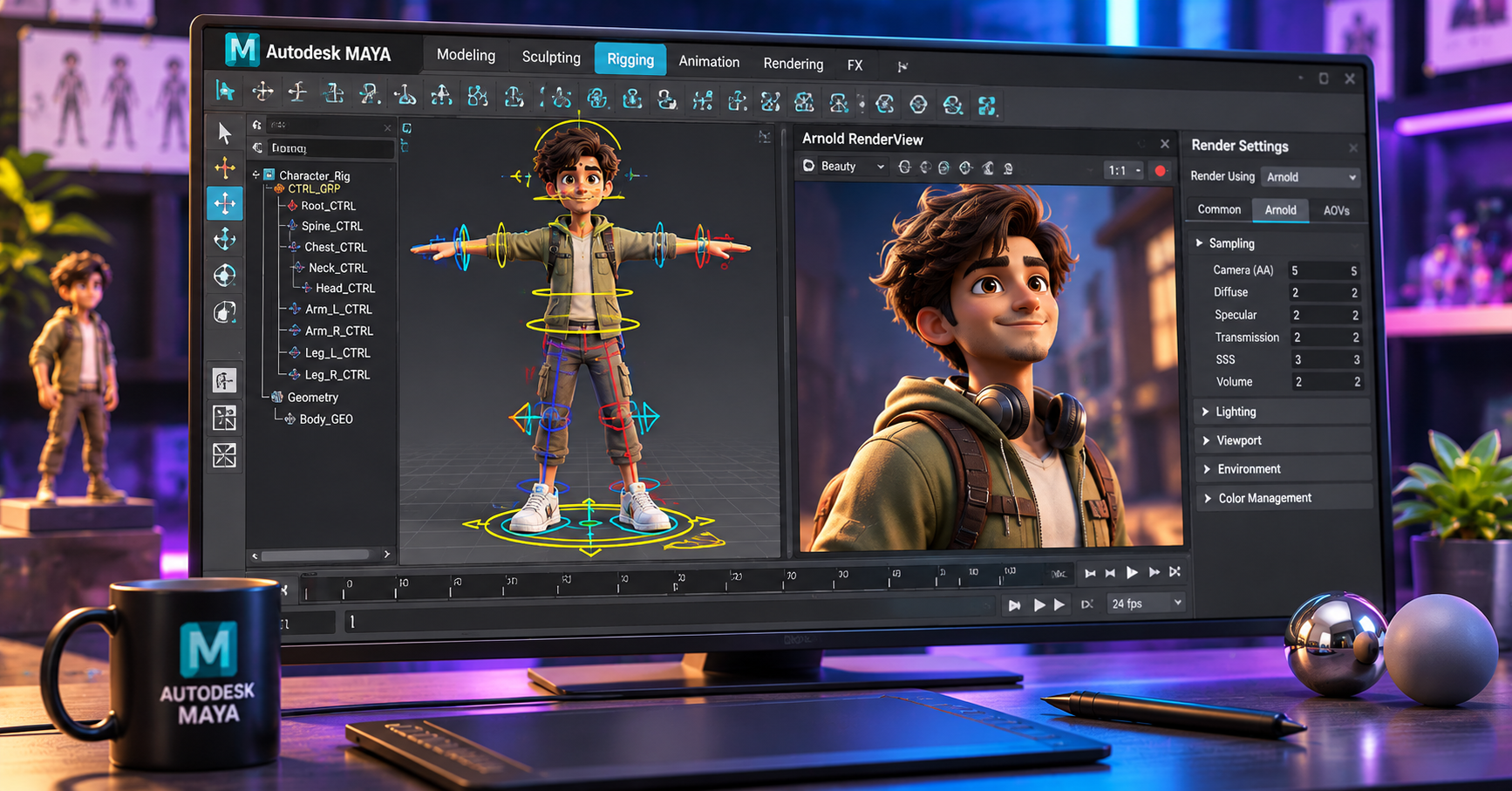
Learn lighting setups that make a scene look cinematic, including three-point lighting, HDRI lighting, area lights and mood lighting. You will also render with Arnold, Maya’s built-in renderer, and learn the render settings and passes used in real production.
5. Rigging in Maya
Rigging turns a static model into a character that can move. You will cover:
Joints and skeleton building
IK and FK systems
Skinning and weight painting
Control curves and character controllers
Facial rigging basics
6. 3D Character Animation
This is where Maya becomes exciting. You will study the 12 principles of animation and apply them in Maya using the Graph Editor and Timeline:
Bouncing ball, pendulum and weight exercises
Walk cycles and run cycles
Body mechanics and acting
Lip sync and facial animation
Camera animation and shot planning
7. Dynamics and Visual Effects
Add realism with Maya’s effects tools. Topics include particles, fluids, rigid body dynamics, cloth simulation and nDynamics, plus an introduction to Bifrost for advanced effects.
8. Final Project and Showreel
In the last module you build a complete 3D project and a professional demo reel. Studios look at your showreel first, so we put special focus on presenting your best work.
Software and Tools You Will Master
Autodesk Maya (core software)
Arnold Renderer
ZBrush (introduction to sculpting)
Substance Painter (texturing)
Adobe Photoshop (texture preparation)
Adobe After Effects / Nuke (compositing basics)
Key Features of Our Maya Training in Amritsar
Practical, project-based learning: You work on Maya every day, not just theory.
Industry-standard syllabus: Matches the 3D animation and VFX pipeline used in studios.
Experienced trainers: Learn from professionals who understand production needs.
Small batches: More personal attention and doubt solving.
Portfolio and showreel guidance: Build work that gets you shortlisted.
Flexible timings: Morning, evening and weekend batches for students and working professionals.
Certification: Receive a course completion certificate after your final project.
Placement assistance: Interview preparation and support in connecting with studios and companies.
Career Opportunities After a Maya Course
After finishing a 3D animation course with Maya, you can work in:
Animation studios and production houses
VFX and post-production companies
Game development studios
Advertising and film production
Architectural visualisation and product design
Freelancing and remote contract work
Popular job roles include 3D Modeller, 3D Animator, Rigging Artist, Lighting Artist, Texture Artist, VFX Artist and Game Artist. With strong skills and a good showreel, you can also build a career abroad.
Why Choose Amritsar for Your Maya Course?
Amritsar has a growing community of young creative talent, and learning close to home saves the cost of relocating to a metro city. You get quality 3D animation training, a supportive learning environment and the freedom to build your portfolio while staying with family. Many students from nearby areas such as Jalandhar, Batala, Gurdaspur and Tarn Taran also join for the Maya animation course.
Course Duration and Fees
The duration depends on whether you take a certificate, diploma or advanced programme. Fees are kept affordable and instalment options are available. Contact us for current batch dates and fee details.
Frequently Asked Questions
Is Maya difficult to learn for beginners?
Not with the right guidance. We start from the basics and build step by step, so beginners learn comfortably.
Do I need to know drawing to learn Maya?
Drawing helps, but it is not required. Maya is taught from scratch.
Which computer is needed for Maya?
A system with a good processor, 16 GB RAM and a dedicated graphics card is ideal. Our lab provides the setup for classroom practice.
Will I get a certificate?
Yes. You receive a certificate on completing the course and final project.
Can I get a job after this Maya course?
The course prepares you with the skills and showreel studios look for. With consistent practice, graduates can apply for roles in animation, VFX and gaming.
Enrol in the Best Maya Course in Amritsar Today
If you want to turn your love of animation into a career, now is the time to start. Join our Maya course in Amritsar and learn modelling, rigging, animation and VFX with hands-on training and expert guidance. Call us or visit the institute to book a free demo class and take your first step into the world of 3D.
Book your free demo class today, and start creating in Maya!
Key Features of Our Maya Training in Amritsar
Practical, project-based learning: You work on Maya every day, not just theory.
Industry-standard syllabus: Matches the 3D animation and VFX pipeline used in studios.
Experienced trainers: Learn from professionals who understand production needs.
Small batches: More personal attention and doubt solving.
Portfolio and showreel guidance: Build work that gets you shortlisted.
Flexible timings: Morning, evening and weekend batches.
Certification: Receive a course completion certificate after your final project.
Placement assistance: Interview preparation and support in connecting with studios.
Tell us whatyou wantto create.
A few lines about yourself and the course you're interested in. Our admissions team replies within two working days, and you can book a free campus visit or demo class.
Call admissions→Or send an enquiry to your nearest campus- Phone
- +91 98881 22241
- Address
- 1st Floor, IAM, Crystal Plaza, SCS 78, opp. PIMS Hospital, Jalandhar, Punjab 144001