How to Edit Interviews and Podcast Videos in Premiere Pro – Amritsar
Harman Phagwara · 25 November 2026
Master professional interview and podcast video editing in Adobe Premiere Pro, including multicamera editing, audio synchronisation, dialogue enhancement, colour grading, motion graphics, subtitles, and social media content production through practical projects in Amritsar.
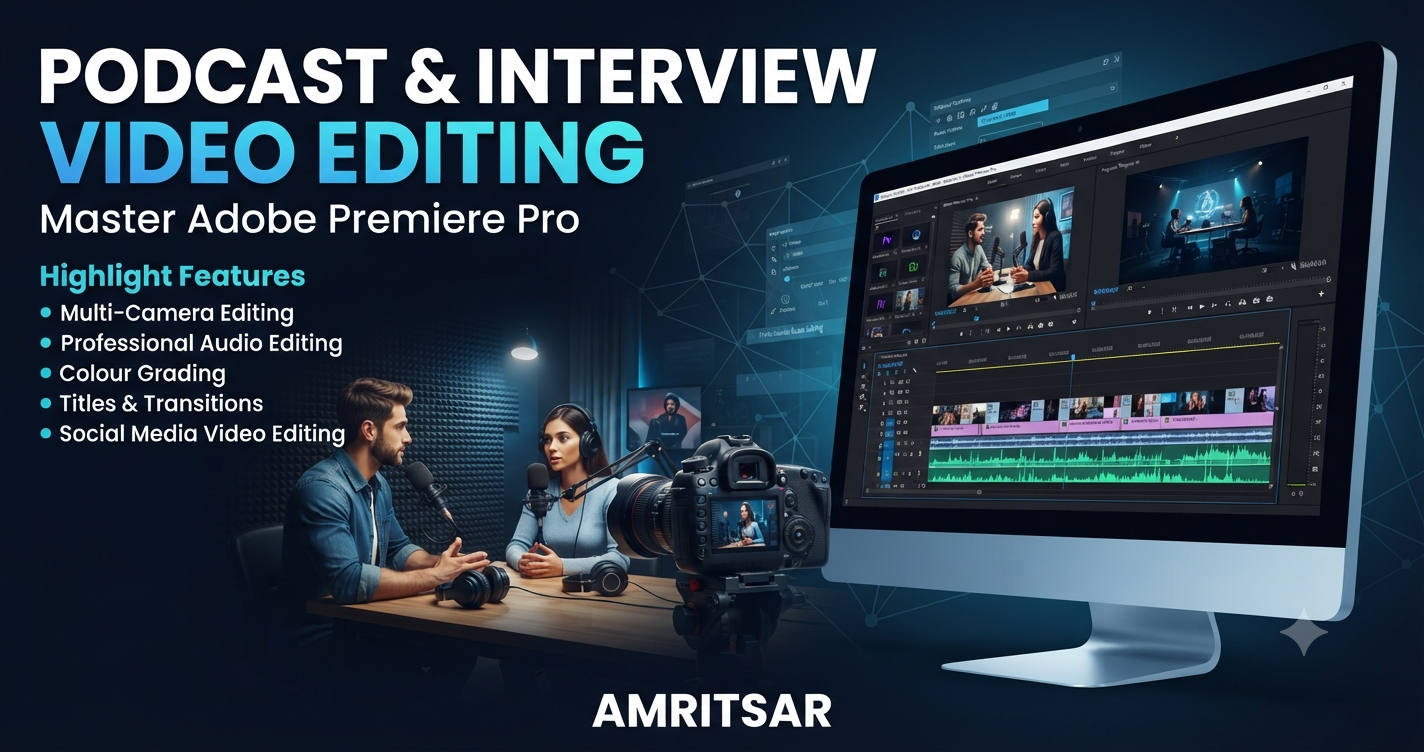
How to Edit Interviews and Podcast Videos in Premiere Pro – Amritsar
Interview and podcast videos have become an important part of digital content creation, online marketing, education, and entertainment. Businesses, content creators, influencers, and professionals use video podcasts and interviews to share information, discuss ideas, promote services, and connect with their audiences. Professional editing helps transform raw recordings into engaging videos with clear audio, smooth transitions, attractive visuals, and well-organised content.
How to Edit Interviews and Podcast Videos in Premiere Pro – Amritsar is a useful topic for aspiring video editors who want to develop practical skills in video editing and content production. Adobe Premiere Pro is widely used for editing interviews, podcasts, YouTube videos, promotional content, documentaries, and social media videos. Its professional editing tools allow creators to organise footage, synchronise audio, improve video quality, add titles, and produce high-quality content for different platforms.
Understanding Interview and Podcast Video Editing
Before starting an editing project, it is important to understand the structure and purpose of the recorded content. Interview videos generally feature conversations between two or more people, while podcasts may include solo discussions, guest interviews, panel conversations, or video-based storytelling.
A professional interview or podcast video generally includes:
Main video recording of the host and guest
Clear and synchronised audio
Camera angles and multiple camera footage
Intro and outro sequences
Speaker names and lower-third titles
Background music and sound effects
Relevant images, video clips, and supporting visuals
Subtitles and captions
Understanding these elements helps editors organise footage and create a smooth viewing experience.
Getting Started with Adobe Premiere Pro
Adobe Premiere Pro provides professional tools for editing video and audio content. Before working on complete podcast projects, learners should become familiar with the workspace, project settings, timeline, source monitor, program monitor, effects panel, and audio controls.
Some important Premiere Pro features used in interview and podcast editing include:
Timeline Panel: Organises video and audio clips for editing.
Razor Tool: Cuts footage and removes unwanted sections.
Selection Tool: Selects, moves, and arranges clips.
Audio Track Mixer: Controls audio levels and balances different sound sources.
Essential Graphics: Creates titles, speaker names, and lower-third designs.
Effects Panel: Adds video and audio effects.
Lumetri Color: Adjusts exposure, contrast, white balance, and colour.
Export Settings: Prepares the final video for different platforms.
Understanding these features helps editors manage projects more efficiently.
Importing and Organising Interview Footage
The first step in editing an interview or podcast is importing and organising all recorded media. Proper file management makes the editing process easier, especially when working with multiple cameras and audio sources.
In Premiere Pro, editors can organise their project using separate folders or bins for:
Main camera footage
Secondary camera recordings
External microphone recordings
Background music
Intro and outro graphics
Images and supporting video clips
Exported files
Keeping files organised helps prevent confusion and saves time during editing.
Synchronising Audio and Video
Audio quality is one of the most important aspects of podcast and interview production. Even professionally recorded video can appear less engaging if the audio is unclear or out of sync.
Premiere Pro provides audio synchronisation features that help editors match video recordings with separately recorded microphone audio.
Important audio synchronisation techniques include:
Matching audio and video using waveforms
Synchronising multiple camera recordings
Aligning external microphone recordings
Checking audio and video timing
Removing unnecessary audio sections
Maintaining consistent audio levels
Proper synchronisation ensures that conversations appear natural and professional.
Editing Interviews and Removing Unwanted Sections
Raw interview recordings often contain pauses, repeated sentences, background interruptions, and unnecessary sections. Editing helps remove these distractions while maintaining the natural flow of the conversation.
Some important editing techniques include:
Cutting unnecessary pauses and mistakes
Removing repeated sentences
Arranging clips in the correct sequence
Using ripple edits to close unwanted gaps
Creating smooth cuts between speakers
Switching between camera angles
Maintaining conversation continuity
Careful editing helps create a clear and engaging interview without affecting the original meaning of the discussion.
Creating Multi-Camera Podcast Videos
Many professional podcasts use multiple cameras to record the host, guest, and overall studio environment. Multi-camera editing allows editors to switch between different camera angles while maintaining audio and visual continuity.
Premiere Pro provides a multicamera editing workflow that helps editors synchronise footage and select different camera views during editing.
For example:
Host Camera: Shows the person asking questions or leading the conversation.
Guest Camera: Focuses on the guest while they are speaking.
Wide Camera: Shows both participants and the overall recording setup.
Close-Up Shots: Highlight expressions, reactions, and important moments.
Using suitable camera angles makes podcast videos more dynamic and visually interesting.
Improving Audio Quality for Podcasts
Clear audio is essential for keeping viewers engaged. Background noise, uneven volume, microphone disturbances, and echo can reduce the quality of a podcast or interview.
Premiere Pro includes audio tools that help improve recorded sound and create a more balanced listening experience.
Important audio editing techniques include:
Adjusting dialogue volume
Reducing unwanted background noise
Applying equalisation (EQ)
Using audio compression
Removing unnecessary background sounds
Balancing music and dialogue levels
Applying audio transitions where required
Editors should ensure that background music does not overpower the speaker's voice and that dialogue remains clear throughout the video.
Adding Titles, Subtitles and Visual Elements
Titles and graphics help viewers understand the content and identify the speakers. They also make interview and podcast videos look more professional.
Designers and editors can add different visual elements, such as:
Podcast titles and episode names
Speaker names and designations
Lower-third graphics
Subtitles and captions
Channel branding and logos
Intro and outro animations
Social media handles
Using consistent fonts, colours, and graphic styles helps maintain a professional visual identity.
Colour Correction and Video Enhancement
Colour correction helps maintain consistent visual quality across different camera recordings. Footage recorded under different lighting conditions may have variations in brightness, contrast, and colour temperature.
Premiere Pro's Lumetri Color panel allows editors to improve the overall appearance of video footage.
Some important colour correction techniques include:
Adjusting exposure and brightness
Correcting white balance
Improving contrast
Adjusting highlights and shadows
Controlling saturation
Matching colours between camera angles
Applying creative colour grading
These techniques help create a balanced and visually consistent podcast or interview video.
Creating Short Clips for Social Media
Podcast and interview recordings often contain valuable moments that can be converted into short videos for social media platforms. Short clips help creators promote their full-length episodes and reach new audiences.
Editors can create:
Instagram Reels
YouTube Shorts
Facebook video clips
Interview highlights
Educational video snippets
Promotional podcast teasers
Changing the video aspect ratio, adding captions, highlighting important statements, and selecting engaging moments can make short-form content more effective.
Exporting Professional Interview and Podcast Videos
After completing the editing process, the final video must be exported using suitable settings. Export requirements depend on the platform, video resolution, frame rate, and intended audience.
Important export considerations include:
Selecting the correct video resolution
Choosing a suitable frame rate
Using H.264 format when required
Selecting an appropriate bitrate
Checking audio quality and synchronisation
Reviewing the complete video before exporting
Creating separate versions for different platforms when needed
Proper export settings help maintain video quality while ensuring compatibility with online platforms.
Practical Interview and Podcast Editing Projects
Practical projects help learners understand how to apply Premiere Pro tools to real video production requirements. Instead of only learning individual editing features, students can practise completing full interview and podcast editing projects.
Some useful practice projects include:
Editing a two-person podcast episode
Creating a professional interview video
Synchronising multiple camera recordings
Removing unwanted pauses and mistakes
Adding speaker names and animated titles
Creating a podcast intro and outro
Improving dialogue audio quality
Producing Instagram Reels from podcast recordings
Editing a YouTube podcast episode
These projects help develop editing accuracy, storytelling, audio management, and content production skills.
Career Opportunities in Video Editing and Podcast Production
Video editing skills are useful across digital media, entertainment, advertising, education, and content creation. Businesses and content creators regularly require professional editors to produce engaging video content for online platforms.
After developing Adobe Premiere Pro skills, learners can explore opportunities such as:
Video Editor
Podcast Video Editor
Interview Video Editor
Social Media Video Editor
YouTube Video Editor
Content Creator
Freelance Video Editor
Digital Media Production Assistant
With experience, editors can also work on documentaries, promotional videos, corporate interviews, event videos, and branded content.
Learn Adobe Premiere Pro and Podcast Video Editing in Amritsar with IAM
Learning Adobe Premiere Pro can help aspiring editors understand the complete process of video production, from organising raw footage to creating professionally edited videos. Practical knowledge of timeline editing, audio synchronisation, multicamera editing, colour correction, titles, and export settings can support learners who want to develop skills in the video editing industry.
At IAM Amritsar, students interested in video editing and digital content creation can explore creative editing concepts and software-based skills through practical learning. Understanding how to edit interviews and podcast videos can help learners build confidence in handling real-world editing projects and developing a professional video editing portfolio.
Start learning Adobe Premiere Pro and take your first step towards creating professional interviews, engaging podcast videos, and high-quality digital content.
- Adobe Premiere Pro
- Podcast Video Editing
- Interview Video Editing
- Video Editing Course Amritsar
- Professional Video Editing
- Multicam Editing
- Audio Synchronisation
- Audio Editing