Game UI Design for Beginners: Menus, Buttons and HUD – Jalandhar
Animation & Gaming · Nandini · 28 November 2026
Learn game UI design for beginners in Jalandhar and understand how to create menus, buttons, HUDs, icons, health bars, inventory screens, and responsive interfaces. Explore design principles, tools, game engines, and essential skills for building clear and engaging gaming experiences.
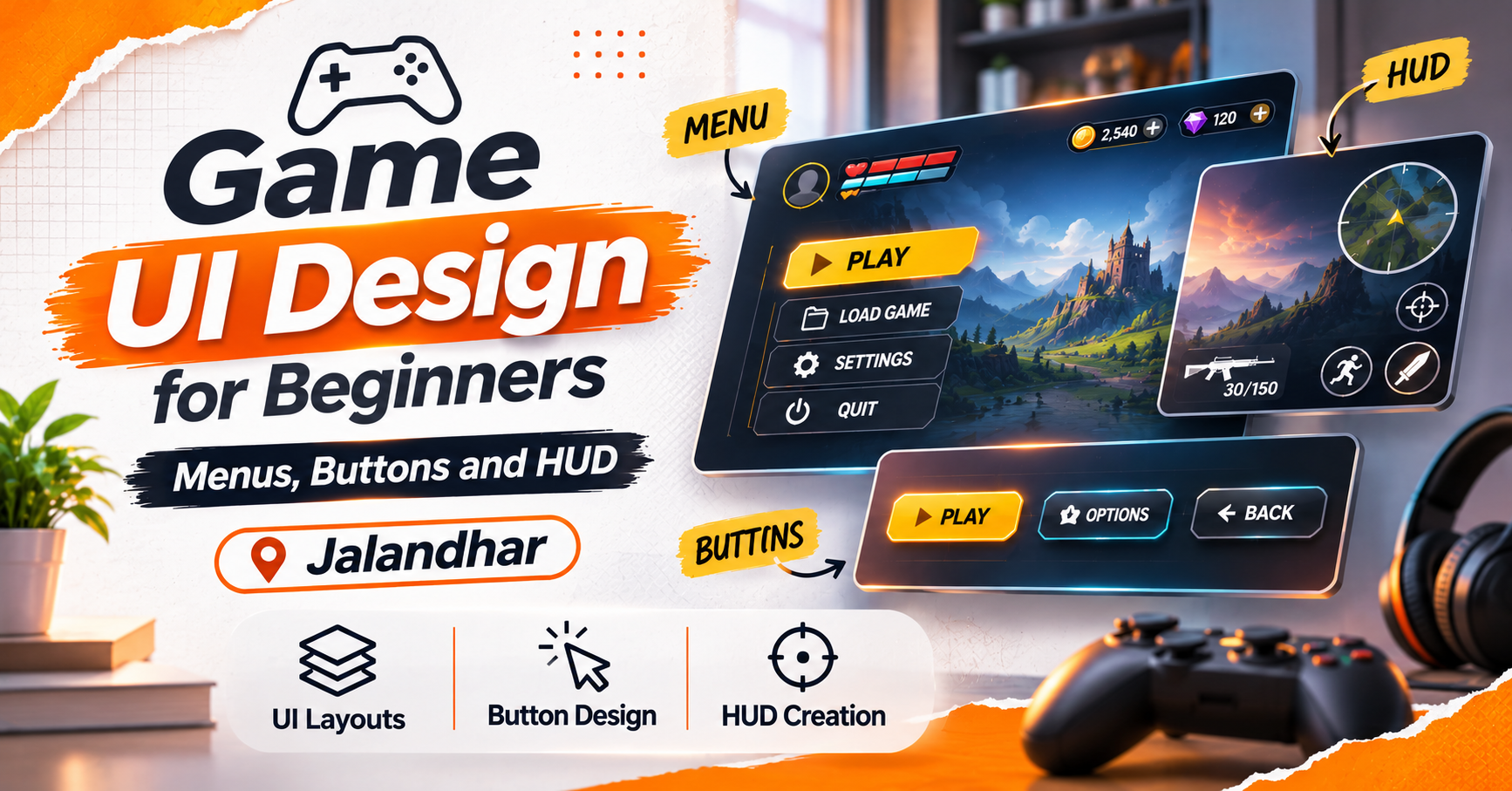
Game UI Design for Beginners: Menus, Buttons and HUD – Jalandhar
A great video game is not only about characters, environments, graphics, and gameplay. The User Interface (UI) also plays an important role in helping players understand what is happening and how to interact with the game. Menus, buttons, health bars, maps, inventory screens, score displays, and other interface elements all contribute to the overall gaming experience.
For students interested in game development and design, learning game UI can be an excellent way to combine creativity with technology. Students in Jalandhar can develop practical skills in interface design and explore opportunities in gaming, mobile applications, interactive media, and digital design.
This beginner-friendly guide explains the fundamentals of game UI design, including menus, buttons, HUDs, layouts, typography, colours, icons, and usability.
What Is Game UI Design?
Game UI design refers to the process of designing the visual elements through which players interact with a game.
UI stands for User Interface. It acts as a communication layer between the player and the game.
For example, when you see a health bar, press a pause button, open an inventory, select a weapon, or check your score, you are interacting with the game's UI.
Common game UI elements include:
Main menus
Pause menus
Buttons
Health bars
Score displays
Maps
Inventory screens
Weapon indicators
Mission objectives
Progress bars
Settings panels
Notifications
Dialogue boxes
Good UI should make the game easier to understand without distracting the player from the gameplay.
Why Is Game UI Important?
Imagine playing a game without knowing how much health you have, what weapon is selected, or where your next objective is.
The experience would quickly become confusing.
Game UI provides important information at the right time.
A well-designed interface can help players:
Understand game mechanics
Track health and energy
View objectives
Navigate menus
Manage inventory
Select weapons
Monitor scores
Change settings
Understand progress
UI design also contributes to the game's visual identity. A futuristic game may use technological interface elements, while a fantasy game may use decorative menus inspired by its world.
Understanding Game Menus
Menus are some of the first UI elements players encounter.
A typical game may have:
Main Menu
The main menu usually contains options such as:
Start Game
Continue
New Game
Settings
Credits
Exit
The design should be clear enough that players immediately understand where to go.
Pause Menu
The pause menu allows players to temporarily stop gameplay and access options such as resume, settings, restart, or exit.
Inventory Menu
Inventory interfaces allow players to view and manage items such as weapons, tools, clothing, resources, or collectibles.
Settings Menu
Settings may contain options for audio, graphics, controls, display, language, and accessibility.
Each menu should have a logical structure so users can navigate it without unnecessary confusion.
Designing Effective Game Buttons
Buttons are interactive elements that allow players to perform actions.
Examples include:
Play
Pause
Resume
Attack
Confirm
Cancel
Equip
Purchase
Back
A good button should clearly communicate its purpose.
Designers can use size, shape, colour, icons, and typography to distinguish buttons.
For example, a primary action such as Play can be visually stronger than a secondary action such as Back.
Buttons should also provide visual feedback.
When a player moves a cursor over a button or selects it using a controller, the button can change appearance.
Common button states include:
Normal
Hover
Selected
Pressed
Disabled
These states help players understand whether their input has been recognized.
What Is a HUD?
HUD stands for Heads-Up Display.
The HUD contains information displayed during gameplay without requiring the player to open a separate menu.
A typical HUD might display:
Health
Armour
Stamina
Ammunition
Score
Mini-map
Current weapon
Mission objective
Timer
The HUD should provide useful information without covering important gameplay elements.
This is one of the biggest challenges in game UI design.
Designing a Health Bar
A health bar is one of the most common HUD elements.
It communicates how much health the player's character has remaining.
A simple health bar may consist of a background, a filled section, and possibly a numerical value.
The design should make changes easy to notice.
For example, if the player's health decreases significantly, the interface might provide a visual warning.
However, designers should avoid relying only on colour to communicate information because some players may have colour-vision difficulties.
Designing Game Icons
Icons allow players to understand information quickly.
Common game icons include:
Heart for health
Shield for armour
Coin for currency
Backpack for inventory
Map marker for location
Weapon icon for equipment
Gear icon for settings
Good icons should be simple and recognizable.
Avoid unnecessary details that make an icon difficult to understand at smaller sizes.
Consistency is also important. All icons in a game should generally follow a similar visual language.
Typography in Game UI
Typography is an important part of interface design.
Players need to read menus, objectives, instructions, and other information quickly.
Choose fonts according to the game's style while maintaining readability.
For example:
A fantasy game may use a decorative font for headings.
A futuristic game may use a modern geometric typeface.
A casual mobile game may use a friendly rounded font.
However, decorative fonts should not make important information difficult to read.
Maintain appropriate font sizes, spacing, and contrast.
Colour and Visual Hierarchy
Colour can help players understand the importance of different UI elements.
A game may use different colours to communicate:
Health
Danger
Success
Warnings
Objectives
Selected options
However, colour should be used consistently.
Visual hierarchy is equally important.
Important information should be more noticeable than secondary information.
Size, position, contrast, spacing, typography, and iconography can all contribute to hierarchy.
Responsive UI for Different Screens
Modern games may run on different devices and screen sizes.
A UI designed for a desktop monitor may not automatically work well on a mobile phone.
Designers need to consider:
Screen resolution
Aspect ratio
Touch controls
Controller input
Safe areas
Text size
Button size
Mobile games particularly require buttons large enough for comfortable touch interaction.
Testing the UI on different screen sizes is an important part of the design process.
Popular Tools for Game UI Design
Students interested in game UI can explore several design tools.
Common options include:
Figma
Adobe Photoshop
Adobe Illustrator
Adobe XD
Blender
Unity UI tools
Unreal Engine UMG
Figma can be useful for creating interface layouts and interactive prototypes. Photoshop and Illustrator can help with visual assets, icons, and graphics.
Game engines such as Unity and Unreal Engine allow designers and developers to implement UI directly inside game projects.
From Design to Game Engine
Creating a UI design is only the beginning.
The interface eventually needs to work inside the game.
A typical workflow may look like:
Idea → Wireframe → Visual Design → Prototype → Implementation → Testing → Refinement
First, designers create simple wireframes to determine where information should appear.
Next, they develop the visual style using typography, colours, icons, and graphics.
After that, the interface can be implemented using a game engine.
Testing helps identify problems such as confusing navigation, unreadable text, incorrect button sizes, or UI elements blocking gameplay.
Skills Needed for Game UI Design
Students interested in game UI should develop a combination of design and technical skills.
Important skills include:
Graphic design
Typography
Colour theory
Layout
Icon design
User experience
Prototyping
Visual hierarchy
Game design fundamentals
Basic game engine knowledge
Understanding how players interact with games is particularly important.
A beautiful interface is not necessarily a good interface if players cannot understand or use it easily.
Learning Game UI Design in Jalandhar
Students interested in game development can explore structured training that combines design principles with practical projects.
A Game Design Course in Jalandhar can introduce learners to areas such as game concepts, UI design, 2D and 3D assets, animation, game engines, and interactive experiences.
Students can create portfolio projects such as:
Mobile game menu
RPG inventory screen
Health and stamina HUD
Character selection screen
Settings interface
Game map
Mission objective system
These projects can demonstrate practical skills when applying for internships, jobs, or freelance opportunities.
Career Opportunities in Game UI Design
Game UI skills can lead to several career paths, including:
Game UI Designer
UI/UX Designer
Game Designer
Interaction Designer
2D Game Artist
Visual Designer
Game Interface Artist
UX Research Assistant
Professionals may work with game studios, mobile game companies, animation studios, interactive media agencies, or freelance clients.
Conclusion
Game UI design combines creativity, usability, visual communication, and technology. Menus, buttons, icons, HUDs, health bars, inventory screens, and other interface elements help players understand and interact with a game.
For beginners in Jalandhar, learning game UI provides an opportunity to explore the wider world of game design and digital experiences. Start by learning basic design principles, create simple interface layouts, experiment with tools such as Figma and Photoshop, and gradually learn how to implement UI inside game engines.
The strongest game UI designers are not only focused on making interfaces look attractive. They create experiences that are clear, intuitive, consistent, responsive, and enjoyable to use. With regular practice and a strong portfolio, students can turn their interest in game UI into valuable skills for the growing gaming and digital media industry.
- Game UI Design
- Game Design
- UI Design
- Game Development
- Game Interface
- UI/UX Design
- Game Design Jalandhar
- Game Buttons