Canva for Social Media: Posts, Reels Covers and Brand Kit, IAM Amaritsar
Design, AI & Marketing · Harman Phagwara · 3 November 2026
Learn professional Canva designing for social media at IAM Amritsar. Explore Instagram post creation, Reels cover design, brand identity development, typography, colour combinations, and promotional graphic design techniques to create engaging and consistent digital content.
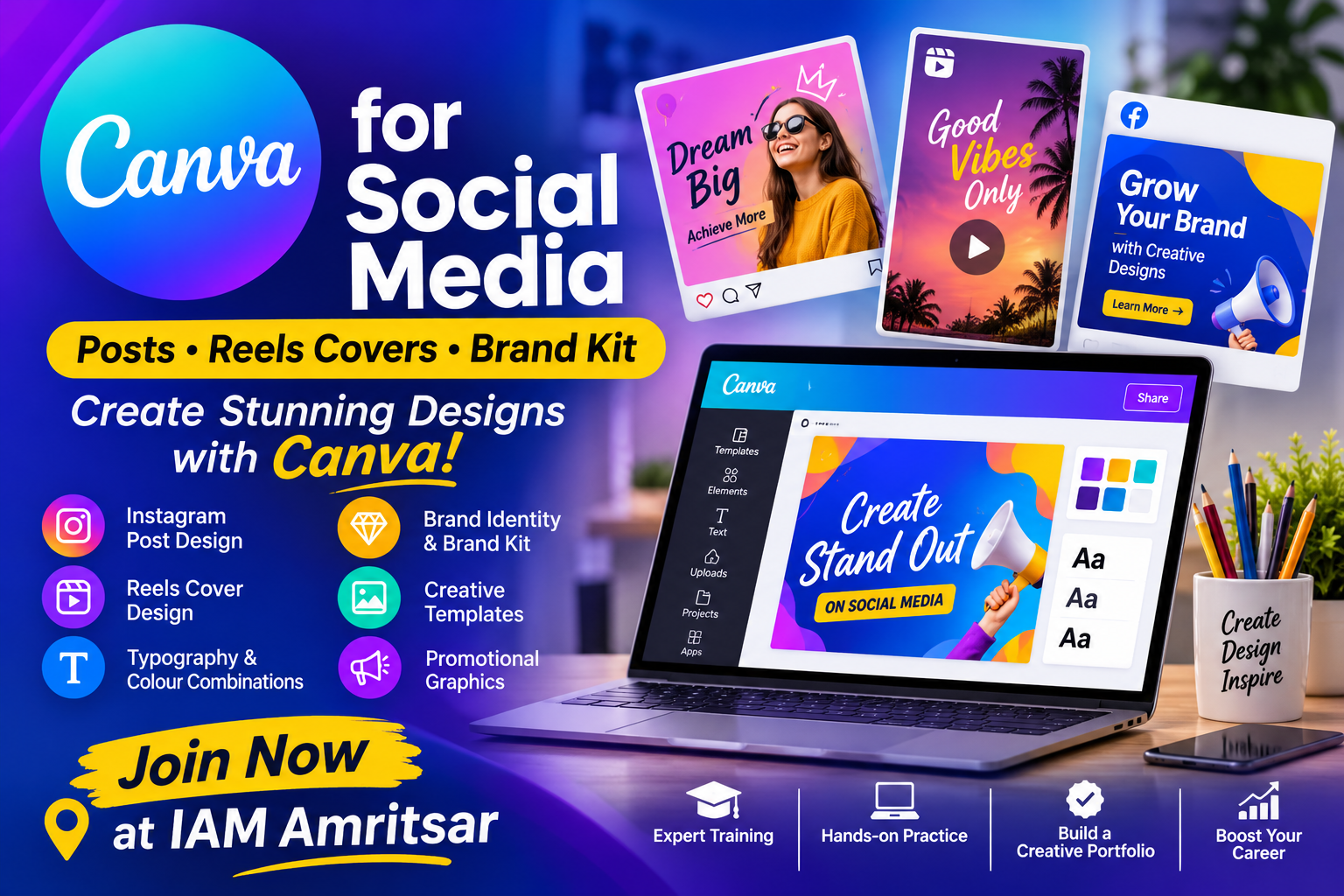
Canva for Social Media: Create Posts, Reels Covers and Brand Kits in Amritsar
Social media has become an important platform for businesses, creators, influencers, and brands to connect with their audiences. Attractive graphics, engaging posts, and professionally designed content help businesses build their online presence and communicate their message effectively. Whether you are creating Instagram posts, Facebook advertisements, promotional banners, or Reels covers, learning graphic design skills can improve the quality of your social media content. Enrolling in Canva for Social Media Training in Amritsar can help you understand how to create professional digital designs using Canva.
Canva is a popular online graphic design platform used by content creators, digital marketers, social media managers, and businesses. It provides ready-made templates, design elements, typography tools, image editing features, and brand management options. Learning Canva Designing in Amritsar can help students develop practical creative skills and understand how professional social media graphics are created.
IAM provides opportunities for learners interested in developing creative and technical skills related to graphic design, digital media, and social media content creation. Through practical learning, students can explore Canva's features and understand how to design attractive, consistent, and engaging graphics for different social media platforms.
What Is Canva for Social Media Designing?
Canva is a graphic design platform that allows users to create digital graphics, presentations, promotional materials, and social media content without requiring advanced graphic design experience.
Social media designing involves creating visual content for platforms such as Instagram, Facebook, YouTube, and other digital channels. These designs communicate information, promote products, highlight services, and improve brand recognition.
A professional Canva Social Media Designing Course in Amritsar can help learners understand how to combine colours, typography, images, layouts, and design elements to create effective digital content.
Why Learn Canva for Social Media?
Canva is widely used for creating social media graphics because of its simple interface and flexible design features. It helps beginners and creative professionals produce different types of digital designs.
Learning Canva Training in Amritsar can help students understand how to create visually appealing graphics for personal projects, businesses, and digital marketing campaigns.
Some important benefits of learning Canva include:
Creating professional Instagram posts.
Designing Facebook promotional graphics.
Creating Instagram Reels covers.
Designing social media stories.
Developing YouTube thumbnails.
Working with ready-made design templates.
Understanding typography and colour combinations.
Editing images and removing backgrounds.
Creating consistent brand identities.
Designing promotional banners and advertisements.
Resizing graphics for different platforms.
Exporting designs in suitable formats.
These skills are useful for individuals interested in social media management, graphic design, digital marketing, and content creation.
Important Topics Covered in Canva Social Media Designing Training
A structured Canva Course in Amritsar should cover the complete social media design process, from understanding the workspace to creating professional graphics and brand identities.
1. Introduction to Canva
The first step is understanding the Canva interface and its basic features. Students learn how to navigate the platform and use different tools for graphic designing.
Important topics include:
Introduction to Canva.
Understanding the Canva workspace.
Creating and managing Canva accounts.
Exploring templates and design categories.
Understanding the design editor.
Working with pages and layouts.
Using Canva elements and graphics.
Saving and organising design projects.
This foundation helps beginners become familiar with Canva before moving towards advanced designing techniques.
2. Social Media Post Designing
Social media posts are important for businesses and content creators who want to communicate with their audiences through attractive visual content.
Students can learn:
Creating Instagram post designs.
Designing Facebook posts.
Understanding social media dimensions.
Working with layouts and templates.
Using images and graphic elements.
Creating promotional post designs.
Adding text and visual highlights.
Maintaining visual balance.
These techniques help learners create attractive social media content for different businesses and brands.
3. Instagram Reels Covers and Thumbnails
Instagram Reels covers help content creators present their videos professionally. An attractive cover can communicate the subject of a video and maintain a consistent appearance across an Instagram profile.
Topics include:
Understanding Instagram Reels covers.
Creating attractive cover layouts.
Selecting suitable background images.
Working with typography and headings.
Using colour combinations.
Designing video thumbnails.
Maintaining consistent cover styles.
Exporting designs for Instagram.
Learning these techniques helps students create visually engaging covers for social media videos.
4. Social Media Stories and Promotional Banners
Stories and promotional banners are commonly used by businesses to share announcements, offers, updates, and marketing messages.
A professional Social Media Designing Course in Amritsar can introduce students to different types of promotional graphics.
Topics include:
Instagram Story designing.
Facebook Story graphics.
Promotional banners.
Sale and discount creatives.
Event announcement designs.
Product promotion graphics.
Business advertising creatives.
Call-to-action design elements.
These skills are useful for creating marketing materials for businesses and online brands.
5. Typography and Colour Combinations
Typography and colour selection play an important role in creating effective social media graphics. Proper font selection and colour combinations improve readability and visual presentation.
Students can explore:
Understanding typography basics.
Selecting suitable font styles.
Font pairing techniques.
Understanding colour theory.
Creating attractive colour combinations.
Working with text hierarchy.
Maintaining readability.
Creating balanced design layouts.
These techniques help learners develop a better understanding of visual communication.
6. Image Editing and Background Removal
Images are an important part of social media designing. Canva provides different tools that help users edit photographs and improve the appearance of graphics.
Students can learn:
Uploading and managing images.
Cropping and resizing photographs.
Adjusting image brightness and contrast.
Applying filters and effects.
Removing image backgrounds.
Working with frames and shapes.
Adding shadows and visual effects.
Combining images with design elements.
These techniques are useful for creating product promotions, business advertisements, and social media creatives.
7. Creating a Professional Brand Kit
A Brand Kit helps businesses maintain a consistent visual identity across different marketing materials. It brings important brand elements together, including colours, fonts, and logos.
In Canva Brand Kit Training, students can explore:
Understanding brand identity.
Selecting brand colours.
Managing brand typography.
Uploading and organising logos.
Creating brand colour palettes.
Maintaining visual consistency.
Applying brand elements to social media posts.
Creating reusable branded templates.
Understanding Brand Kits helps learners create consistent graphics for businesses and digital marketing campaigns.
8. Designing Social Media Content for Businesses
Businesses require different types of visual content to promote their products and services. Canva can help create marketing graphics for different industries.
Students can practise creating:
Product promotion posts.
Service advertisement graphics.
Restaurant promotional designs.
Educational institute creatives.
Business announcement posts.
Festival and occasion graphics.
Special offer banners.
Brand awareness campaigns.
These practical activities help learners understand how Canva is used in real-world social media marketing.
Working with Canva Templates and Design Elements
Canva provides a wide range of templates, illustrations, icons, shapes, and graphic elements that can be customised according to project requirements.
Students can learn how to select suitable templates, modify existing layouts, replace images, adjust colours, and customise typography.
Important learning areas include:
Searching for suitable design templates.
Customising ready-made layouts.
Working with illustrations and icons.
Managing layers and element positioning.
Aligning and grouping design elements.
Creating reusable templates.
Maintaining consistent visual styles.
Learning these features helps beginners create designs more efficiently while developing their own creative approach.
Creating Social Media Graphics for Different Platforms
Every social media platform has different content formats and design requirements. Understanding these formats helps designers prepare suitable graphics for different audiences.
Some important applications include:
Instagram feed posts.
Instagram Reels covers.
Instagram Stories.
Facebook posts and banners.
YouTube thumbnails.
Pinterest graphics.
Promotional advertisements.
Business profile graphics.
Students can understand how to adapt layouts, text, and images according to different platform requirements.
Practical Projects to Develop Canva Designing Skills
Practical projects help students understand how design tools and techniques are used in real-world content creation.
Some useful practice projects include:
1. Instagram Post Collection
Create a collection of attractive Instagram posts using different layouts, typography, colours, and images.
2. Instagram Reels Cover Designs
Design multiple Reels covers for educational, entertainment, lifestyle, and business content.
3. Facebook Promotional Creatives
Create promotional graphics for products, services, offers, and business announcements.
4. Social Media Story Templates
Design reusable Instagram and Facebook Story templates for different marketing purposes.
5. YouTube Thumbnail Designing
Create engaging YouTube thumbnails using images, text, backgrounds, and visual elements.
6. Business Brand Kit
Develop a basic brand identity using a consistent colour palette, typography, logo, and reusable design templates.
7. Social Media Marketing Campaign
Create a collection of branded graphics for a fictional business or product promotion campaign.
These projects help students understand the complete social media design workflow and develop confidence in using Canva.
Who Can Join a Canva Designing Course?
A Canva Course in Amritsar can be useful for beginners as well as individuals interested in developing creative skills for digital platforms.
The training may be suitable for:
Students: Those interested in learning graphic design and digital creative skills.
Beginners: Individuals who want to understand social media designing.
Digital Marketers: Professionals creating graphics for online marketing campaigns.
Social Media Managers: Individuals managing business and brand social media accounts.
Content Creators: People producing Instagram posts, Reels, and digital content.
Freelancers: Individuals interested in providing social media design services.
Business Owners: Entrepreneurs who want to create promotional graphics for their businesses.
Job Seekers: Individuals interested in developing useful digital designing skills.
Basic computer knowledge can be helpful for beginners. Advanced graphic design experience is not necessary to start learning Canva fundamentals.
Career Opportunities After Learning Canva
Learning Canva can support different creative and digital marketing activities. Practical designing skills can be useful for individuals interested in social media content creation and digital communication.
Some related roles include:
Social Media Designer: Creating graphics for social media platforms.
Canva Designer: Designing digital creatives using Canva.
Social Media Executive: Supporting social media content and promotional activities.
Content Creator: Producing visual content for digital platforms.
Freelance Graphic Designer: Providing creative design services independently.
Digital Marketing Assistant: Supporting online marketing campaigns.
Branding Assistant: Helping maintain consistent brand visuals.
Marketing Creative Assistant: Designing promotional graphics for businesses.
Career opportunities depend on practical knowledge, creative ability, project experience, and portfolio quality.
Why Learn Canva for Social Media at IAM in Amritsar?
IAM offers learners an opportunity to explore creative and technical skills related to graphic design, digital media, and social media content creation.
Students interested in Canva for Social Media Training at IAM in Amritsar can explore Canva's design tools and understand how professional graphics are created for different digital platforms.
Important learning areas include:
Understanding Canva tools and features.
Creating Instagram and Facebook posts.
Designing Reels covers and thumbnails.
Learning typography and colour combinations.
Editing images and removing backgrounds.
Creating a professional Brand Kit.
Designing promotional banners.
Developing reusable social media templates.
Practising real-world design projects.
Building a collection of creative work.
IAM aims to support learners in understanding creative digital tools and developing practical knowledge that can be applied to different content design requirements.
For students interested in graphic design, digital marketing, and social media content creation, learning Canva can be a valuable addition to their creative skill set.
Tips for Creating Professional Social Media Designs
Creating effective social media graphics requires attention to layout, typography, colours, and visual consistency.
Here are some useful tips:
Always select the correct design dimensions.
Use readable fonts and suitable typography.
Maintain consistent brand colours.
Avoid overcrowding designs with unnecessary elements.
Use high-quality images and graphics.
Maintain proper text alignment and spacing.
Highlight important information clearly.
Use suitable colour contrast.
Keep Reels covers visually consistent.
Create reusable templates for regular content.
Export graphics in suitable file formats.
Review the final design before publishing.
Following these practices can help improve the quality and presentation of social media content.
Conclusion
Social media designing is an important skill for businesses, digital marketers, content creators, and individuals working with online platforms. Attractive Instagram posts, professional Reels covers, promotional banners, and consistent Brand Kits help improve the visual presentation of digital content.
Enrolling in Canva for Social Media Training in Amritsar can help students understand the complete designing process, from creating social media posts and editing images to developing brand identities and promotional graphics. Learning Canva provides practical knowledge of digital design tools and techniques used in modern content creation.
IAM provides an opportunity for learners to explore creative digital skills and develop their understanding of social media graphic designing. Whether you are a student, beginner, aspiring designer, freelancer, or content creator, learning Canva can help you strengthen your creative abilities and explore new opportunities in digital media.
Start learning with IAM in Amritsar and develop the skills to create attractive, consistent, and professional social media graphics.
- Canva for Social Media
- Canva Designing Course
- Canva Training in Amritsar
- Social Media Graphic Design
- Instagram Post Design
- Instagram Reels Cover Design
- Canva Brand Kit
- Social Media Branding