
Build a Nuke Compositing Showreel Shot: Amritsar VFX Guide
Harman Phagwara · 26 October 2026
Learn how to create a professional VFX compositing showreel shot using Nuke, from green screen keying and rotoscoping to tracking, color correction, and final shot integration. Explore essential compositing techniques and portfolio tips for aspiring VFX artists in Amritsar.
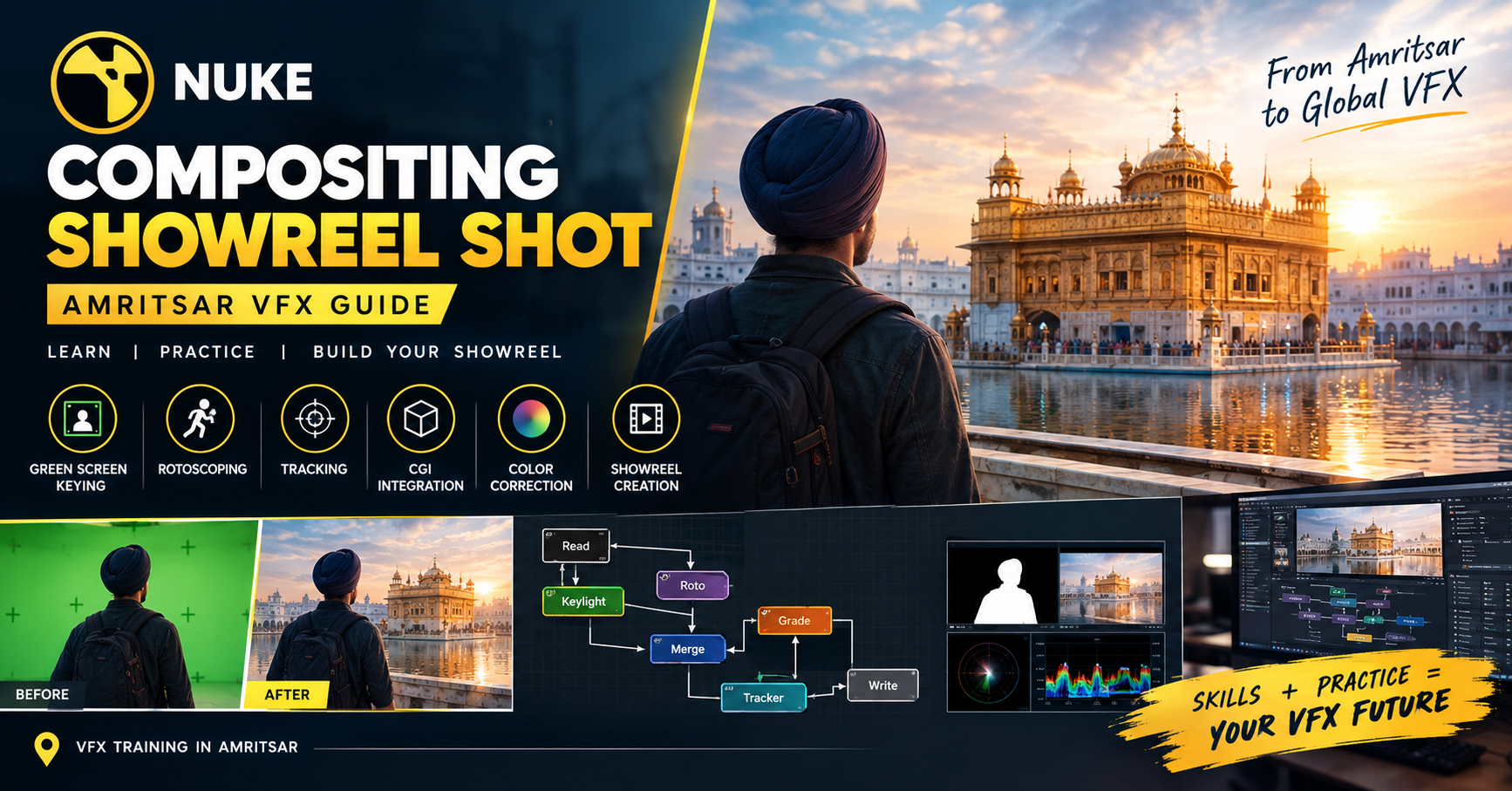
Build a Nuke Compositing Showreel Shot: Amritsar VFX Guide, Step by Step
Two things separate an ordinary visual effects shot from one that feels believable and cinematic: how well the elements are combined and how naturally they fit into the original footage. You do not need a massive studio budget to start learning compositing. You need the right workflow, suitable practice footage, attention to detail, and a clear understanding of how visual elements interact.
This guide is written for aspiring VFX artists, animation students, filmmakers, and digital creators in Amritsar who want to build practical compositing skills and create a professional-looking showreel, one step at a time.
Why Nuke Compositing and Showreels Matter
Visual effects compositing brings different visual elements together to create one convincing image. These elements can include live-action footage, computer-generated imagery (CGI), green screen performances, digital backgrounds, particles, and atmospheric effects.
Nuke is a node-based compositing application widely used in film, television, advertising, and visual effects production. Its node-based workflow allows artists to organize, adjust, and connect different stages of a composite without relying entirely on traditional layer-based editing.
A showreel demonstrates how well you can apply these techniques to real shots. For aspiring artists in Amritsar, building a focused compositing portfolio is a useful way to practise production workflows, demonstrate technical progress, and prepare for entry-level opportunities in the VFX industry.
Part 1: Preparing Your Nuke Compositing Project, Step by Step
Step 1: Choose a Clear Showreel Concept
Start with one manageable shot rather than attempting a complicated film sequence. Choose a concept that allows you to demonstrate a few essential compositing skills.
Good beginner projects include replacing a green screen background, placing a CGI object into live-action footage, removing an unwanted object, or creating a simple science-fiction environment.
For example, you could film a person standing in an ordinary location and composite them into a futuristic city. This project can demonstrate keying, background integration, color correction, edge refinement, and atmospheric effects.
Before starting, decide what the final shot should communicate and which techniques you want to demonstrate.
Step 2: Collect and Organize Your Assets
A successful composite begins with suitable source material. Gather your original footage, background plates, CGI renders, masks, reference images, and any additional visual elements needed for the shot.
Check that the footage has consistent frame rates, matching frame ranges, and suitable resolution. Pay attention to camera movement, perspective, lighting direction, and the quality of the source images.
Create organized folders for footage, renders, project files, textures, and final outputs. Clear file management helps prevent missing-media errors and makes revisions easier.
Use footage you have permission to use, particularly when the final showreel will be published online or shared with potential employers.
Step 3: Understand the Node-Based Workflow
Unlike a traditional timeline-based editor, Nuke uses nodes to represent individual operations. Each node performs a particular task, and connecting nodes creates a workflow that can be adjusted throughout the project.
Begin by importing footage with a Read node. Use additional nodes for operations such as keying, transforming, merging, color correction, and final output.
A simple workflow might look like this:
Read Footage → Keying or Roto → Edge Refinement → Color Correction → Merge Background → Final Grade → Write Output
The exact node structure depends on the shot. Keep the graph organized, name important nodes clearly, and group related operations when appropriate. A readable node tree makes troubleshooting and future changes much easier.
Part 2: Essential Nuke Compositing Techniques
Step 1: Master Green Screen Keying
Green screen keying separates a foreground subject from a colored background. It is one of the most useful techniques for beginner compositors.
Start by examining the original footage for uneven lighting, green spill, motion blur, and fine details such as hair. Use an appropriate keying node, such as Keylight where available, or Nuke's other suitable keying tools, to generate a matte.
Refine the matte until the subject's outline looks natural. Remove unwanted background areas, preserve fine details, and avoid edges that appear too sharp or too soft.
Next, reduce green color contamination on the subject where necessary. Place the keyed subject over the new background and inspect the result at full resolution.
A good key is not simply a transparent background. It should preserve believable edges, natural movement, and the fine details that make the subject look real.
Step 2: Learn Rotoscoping and Masking
Not every shot has a clean green screen. Rotoscoping allows you to isolate a subject or object by creating and animating shapes around its outline.
Use roto shapes to separate foreground elements, protect areas during color correction, or remove unwanted objects from a scene. Track the shapes when possible, but check them manually because moving subjects can change position, shape, and visibility.
Pay particular attention to hair, fingers, motion blur, and overlapping objects. These areas often reveal mistakes when a composite is viewed closely.
Practise on a short clip with moderate movement before working on a complex action sequence. Consistent, accurate masks can make a major difference to the quality of the final image.
Step 3: Practise 2D and 3D Tracking
Tracking helps digital elements follow the movement of a camera or an object in the original footage.
A 2D tracker can be useful for attaching graphics, signs, or simple effects to a moving surface. More complex shots may require planar tracking or 3D camera tracking to reconstruct camera movement and support the placement of digital elements in a scene.
Begin with footage that contains clear visual features. Track stable points, inspect the motion, and correct any sliding or unwanted drift.
Once the track is reliable, use it to attach an element to the footage. Check that the element maintains the correct position, scale, perspective, and movement throughout the shot.
A digital object that slides unnaturally across a surface can immediately make an otherwise good composite look artificial.
Step 4: Match Colors, Exposure, and Contrast
Even when foreground and background elements are combined correctly, differences in color and brightness can make them look disconnected.
Compare the exposure, contrast, saturation, and color temperature of each element. Use color-correction tools to bring the foreground closer to the lighting conditions of the background.
For example, a subject filmed indoors under warm lighting may look out of place against a cool outdoor environment. Adjust the color balance carefully while preserving natural skin tones and realistic shadow detail.
Check highlights, midtones, and dark areas rather than judging the image only by its overall brightness. Small, controlled adjustments often produce a more believable result than applying a strong color grade to the entire composite.
Step 5: Integrate CGI and Digital Elements
Adding a CGI object to live-action footage requires more than placing one image over another. The object must appear to belong in the same environment.
Consider lighting direction, shadow placement, reflections, perspective, depth, and camera movement. If the background contains a strong light source from the left, the digital object should respond to that lighting in a believable way.
Use appropriate blending, color correction, masks, and shadow elements to integrate the render. Add motion blur or depth effects only when they match the source footage and the intended scene.
A useful practice exercise is to place a rendered object on a real tabletop or pavement. Work on its position, scale, shadow, and color until it feels connected to the environment.
Step 6: Add Atmospheric Effects and Final Polish
Atmospheric effects can help unify the different elements in a composite. Depending on the scene, you might use subtle haze, dust, glow, depth cues, or particles.
Apply these effects with restraint. Excessive glow, strong lens effects, and unnecessary particles can hide compositing problems rather than solve them.
Inspect the image for edge halos, unwanted color spill, mismatched sharpness, noise differences, and inconsistent grain. Add grain or blur only when it helps match the source footage.
The goal is to make the shot feel like a single image captured under consistent conditions.
Part 3: Building Your First Complete Showreel Shot
Step 1: Plan a Before-and-After Shot
Choose a short piece of footage and define the intended transformation. A simple example is replacing a plain background with a dramatic digital environment.
Prepare the original plate and background, then build the composite in manageable stages. Keep a copy of the original footage so you can compare the final result against the source.
Decide which techniques are essential to the shot. For a beginner project, keying, tracking, color matching, and basic atmosphere may be enough.
Step 2: Build and Refine the Composite
Start with the background and place the foreground subject into the scene. Refine the matte, correct the colors, and add supporting elements such as shadows or reflections where necessary.
Work from the major visual relationships toward smaller details. First establish the correct position and scale of each element. Then improve edges, lighting consistency, motion, and texture.
Review the composite at its intended viewing size as well as at full resolution. Some problems are easy to miss when zoomed in, while others become visible only when inspecting individual pixels.
Step 3: Review the Shot Like a Compositor
Watch the shot from beginning to end. Look for changes in edge quality, tracking drift, inconsistent shadows, flickering, and sudden color shifts.
Compare the final image with the original plate and temporarily disable individual nodes to understand how each operation contributes to the result.
Ask yourself whether the digital elements feel connected to the same space as the original footage. If something looks artificial, identify the cause before adding more effects.
Step 4: Render and Present the Final Result
Choose an appropriate resolution, frame rate, file format, and output range for the intended use. Check the rendered file outside Nuke to confirm that it plays correctly and matches the expected result.
For your showreel, consider including the original footage, final composite, and a short breakdown showing the key stages of the process. Keep the presentation concise and make your contribution to the shot clear.
A strong breakdown helps viewers understand the techniques behind the final image instead of seeing only the finished effect.
Part 4: Common Nuke Compositing Mistakes to Avoid
Poor edge quality: Jagged edges, green fringes, or excessive softness can reveal a weak key.
Incorrect color matching: Foreground and background elements may look as though they were filmed under different lighting conditions.
Unstable tracking: Sliding or drifting digital elements break the illusion of a connected scene.
Unrealistic shadows: Missing or incorrectly placed shadows make objects appear to float.
Excessive effects: Too much glow, blur, haze, or sharpening can reduce realism.
Disorganized node graphs: Poorly named nodes and tangled connections make revisions harder.
Skipping quality checks: Problems may appear only during playback or in the final render.
Using too many weak shots: A large showreel is not necessarily better than a short collection of polished work.
The best way to improve is to identify one issue at a time, make a correction, and compare the results.
Practice Plan for Aspiring VFX Artists in Amritsar
Week 1: Learn the Fundamentals
Explore the Nuke interface, Read and Write nodes, node connections, image formats, and basic color correction. Complete a small exercise combining two image elements.
Week 2: Practise Keying and Rotoscoping
Work with a short green screen clip. Create a clean matte, refine edges, reduce color spill, and practise isolating a moving subject with roto shapes.
Week 3: Learn Tracking and Integration
Track a moving surface or camera shot. Attach a digital graphic or CGI element, then work on perspective, color matching, and realistic integration.
Week 4: Complete a Showreel Project
Combine your skills into one polished shot. Review the result, correct visible problems, render the final sequence, and create a before-and-after breakdown.
Review your progress every week. Focus on the quality of your decisions, not simply the number of tools you have used.
Take Your VFX Skills Further
Self-practice builds a strong foundation, but structured guidance can help you understand professional workflows more efficiently. Working with experienced mentors, suitable hardware, practical footage, and project-based exercises can help you identify mistakes and develop better compositing habits.
For students exploring VFX training in Amritsar, look for learning opportunities that include practical Nuke exercises, feedback on completed shots, portfolio development, and guidance on industry expectations.
Alongside software skills, develop your understanding of cinematography, lighting, perspective, color theory, and visual storytelling. These fundamentals help compositors make decisions that improve realism rather than relying on effects alone.
Career opportunities may include junior compositor, compositing artist, roto artist, paint artist, and VFX generalist. The roles available to you will depend on your portfolio, technical ability, experience, and individual employer requirements.
Final Thoughts
Building a Nuke compositing showreel shot is a practical way to understand how visual effects are created and refined. Start with simple footage, develop your skills in keying, rotoscoping, tracking, color correction, and element integration, and gradually move toward more complex projects.
Focus on believable results, organized node graphs, and clear breakdowns of your work. Every shot you complete gives you another opportunity to improve your technique and build a stronger portfolio.
For aspiring VFX artists in Amritsar, consistent practice and careful attention to detail can turn a basic compositing exercise into a valuable step toward a future in visual effects production.
- Nuke Compositing
- VFX Showreel
- Visual Effects
- Nuke Tutorial
- Compositing Techniques
- Green Screen Keying
- Rotoscoping
- Camera Tracking