
Advanced 3ds Max Rendering for Amritsar Architecture and Interior Projects
Design, AI & Marketing · Harman Phagwara · 23 October 2026
Learn advanced 3ds Max rendering techniques for architecture and interior projects in Amritsar, including realistic lighting, materials, textures, camera setup, and photorealistic visualization.
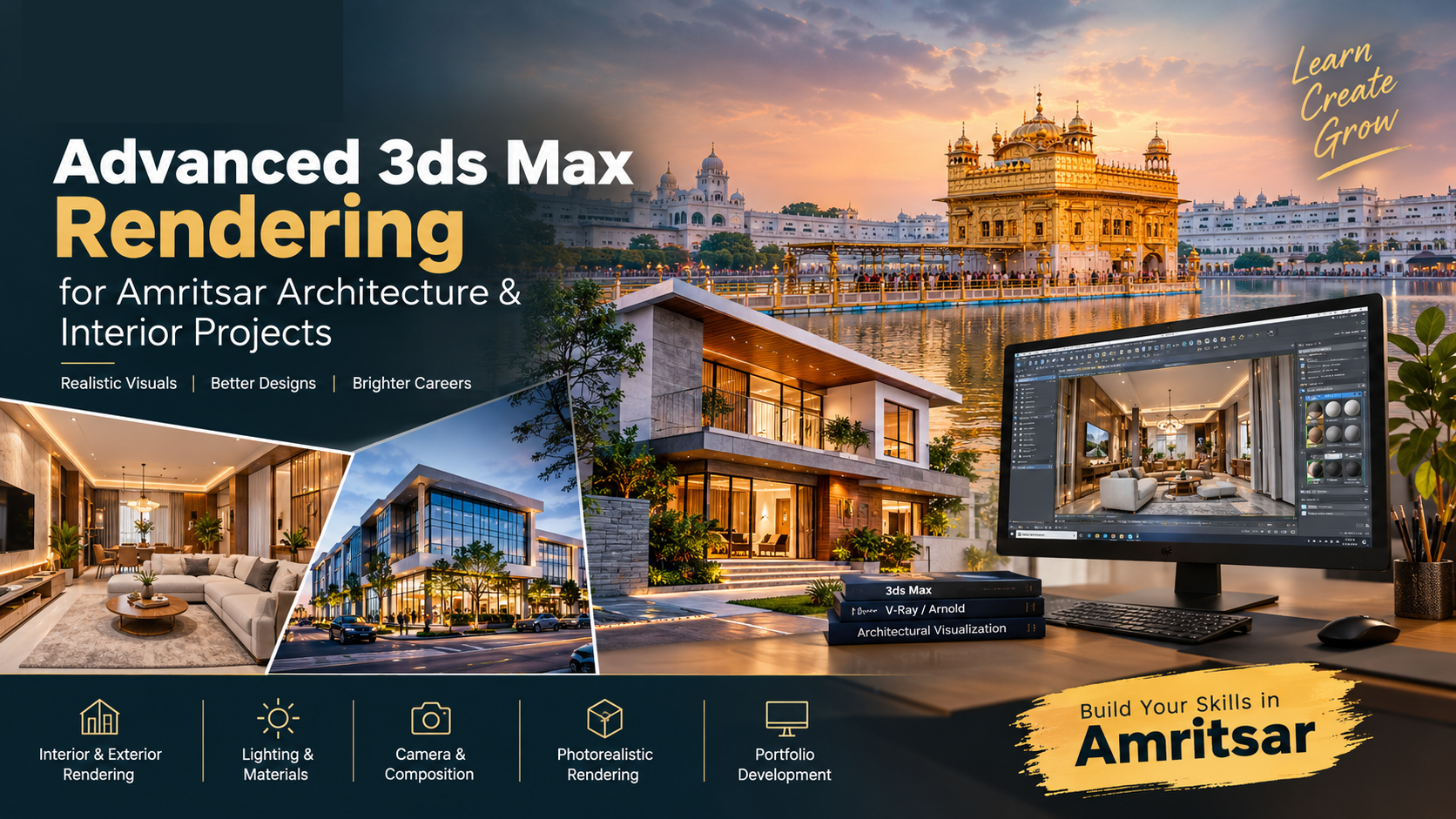
Advanced 3ds Max Rendering for Amritsar Architecture and Interior Projects
Advanced 3ds Max rendering is an important skill for creating realistic architectural visualizations, interior design presentations, and detailed 3D environments. Autodesk 3ds Max allows designers to develop three-dimensional models and transform them into visually engaging images using materials, textures, lighting, camera composition, and professional rendering techniques.
For architecture students, interior designers, CAD professionals, and aspiring 3D artists in Amritsar, learning advanced rendering can help develop the practical skills required to present residential buildings, commercial properties, offices, showrooms, and interior spaces professionally.
At I AM, aspiring creatives can explore 3D visualization concepts and understand how modeling, lighting, materials, and rendering work together in architectural projects. Whether you are a beginner or someone looking to improve existing 3D design skills, practising realistic rendering can help you develop a stronger portfolio and explore opportunities in the creative design industry.
Why Learn Advanced 3ds Max Rendering?
Architectural rendering allows designers to communicate their ideas before a building or interior space is constructed. Instead of relying only on technical drawings, designers can present realistic images that demonstrate the proposed layout, colours, materials, furniture, lighting, and overall appearance of a space.
Advanced rendering techniques help improve the quality of these presentations by making surfaces, shadows, reflections, and lighting appear more natural. They also allow designers to experiment with different design options and create visual references for clients.
Key benefits of learning advanced 3ds Max rendering include:
Develop realistic interior and exterior architectural visualizations.
Understand advanced lighting and shadow techniques.
Create detailed materials and textures for different surfaces.
Improve camera positioning, framing, and perspective.
Explore photorealistic rendering workflows.
Create professional presentations for architecture and interior design projects.
Build a portfolio of practical 3D visualization work.
Develop technical and creative skills for architectural visualization projects.
What Is Autodesk 3ds Max Rendering?
Autodesk 3ds Max is a 3D modeling, animation, and rendering application used in architectural visualization, product visualization, animation, and other digital design workflows.
Rendering is the process of generating a two-dimensional image from a three-dimensional scene. The software calculates how objects, materials, lights, cameras, and environmental settings interact to produce the final image.
For architectural projects, rendering can communicate the appearance of a proposed building, room, or commercial space. Designers can show how materials respond to light, how furniture fits within a room, and how different design elements work together.
Advanced rendering involves more than increasing image quality. It requires understanding scene preparation, realistic material properties, light placement, camera composition, render settings, and final image enhancement.
Eligibility for Learning Advanced 3ds Max Rendering
Anyone interested in architecture, interior design, 3D modeling, and digital visualization can begin learning 3ds Max. The skills can be useful for students after 12th, college students, freshers, architecture learners, interior designers, CAD professionals, and beginners exploring creative technology.
Basic computer knowledge is helpful when starting. Beginners can first learn the software interface, viewport navigation, object creation, and basic modeling before progressing to materials, lighting, cameras, and advanced rendering.
Existing experience with architectural drawings, AutoCAD, interior design, or other 3D applications can be useful, but it is not essential for exploring the fundamentals.
Advanced 3ds Max Rendering Course Fees
The fees for 3ds Max training depend on the institute, course duration, syllabus, trainer experience, practical assignments, and level of instruction. A basic program may introduce modeling and essential rendering concepts, while advanced training may cover detailed architectural scenes, realistic materials, lighting workflows, and professional visualization projects.
Before selecting a training program, consider the topics included, practical session availability, software versions, rendering tools, project work, portfolio development, and certificate details.
At I AM, interested learners can enquire about available training options, course duration, syllabus, and current fees. Confirm the latest course details directly before enrolling.
Advanced 3ds Max Rendering Syllabus
A practical advanced rendering syllabus may include the following topics.
3ds Max Fundamentals and Scene Preparation
Learn about the interface, viewport navigation, object creation, selection tools, transforms, modifiers, and scene organization. Understand how to work with models, manage object hierarchies, and prepare scenes for rendering.
Explore units, dimensions, file organization, object naming, and other settings that help maintain an efficient workflow. Learn how to import or create architectural models and prepare them for material application and lighting.
3D Modeling for Architectural Projects
Understand how 3D models represent walls, floors, ceilings, windows, doors, furniture, and decorative elements. Practise creating and refining architectural objects while maintaining suitable proportions and dimensions.
Learn to organize complex scenes and manage model details according to the intended camera view. Accurate modeling helps improve the final presentation and reduces visual errors during rendering.
Materials, Textures, and Surface Properties
Realistic materials are essential for convincing architectural visualization. Learn how to create and apply materials for wood, marble, granite, concrete, glass, metal, fabric, tiles, and painted surfaces.
Explore texture mapping, surface roughness, reflections, transparency, bump maps, and other material properties supported by the selected rendering workflow.
Practise adjusting texture scale and alignment to avoid stretched patterns or unrealistic surfaces. Understand how material properties influence the way objects respond to natural and artificial light.
Advanced Lighting Techniques
Lighting affects the mood, realism, and visual clarity of architectural scenes. Learn to work with daylight, sunlight, skylights, interior lights, and environmental illumination.
Understand how light intensity, colour temperature, direction, and shadow softness influence the appearance of a space. Practise creating bright daytime interiors, warm evening environments, and balanced lighting for commercial spaces.
Learn how to prevent excessively dark corners, overexposed windows, harsh shadows, and uneven illumination. Good lighting helps communicate the design more clearly and creates a natural visual atmosphere.
Camera Setup and Composition
Camera placement determines how a viewer experiences an architectural scene. Learn about camera positioning, focal length, framing, perspective, and composition.
Practise selecting camera angles that show the layout and important features of kitchens, bedrooms, living rooms, offices, showrooms, and exterior elevations.
Explore techniques for presenting room proportions accurately and avoiding distracting perspective distortions. A well-composed image can make architectural details easier to understand.
Photorealistic Rendering Techniques
Photorealistic rendering combines accurate modeling, believable materials, appropriate lighting, and carefully selected render settings.
Learn about image resolution, sampling, reflections, shadows, noise reduction, and render optimization. Understand how quality settings affect rendering time and the final output.
Explore compatible rendering engines such as Arnold, V-Ray, or Corona Renderer, depending on the available software version, licenses, and training requirements. Specific workflows and settings vary between rendering engines.
Practise balancing image quality with processing time and available computer resources.
Interior Architectural Visualization
Interior rendering focuses on presenting indoor spaces with realistic materials, furniture, lighting, and decorative elements.
Practise preparing scenes for living rooms, bedrooms, kitchens, bathrooms, offices, restaurants, and retail interiors. Learn how to arrange furniture, select suitable materials, and balance natural light with artificial illumination.
Explore how wall finishes, flooring, ceiling details, furniture placement, and decorative lighting influence the final image. The goal is to create a visualization that communicates the intended interior design clearly.
Exterior Architectural Visualization
Exterior rendering helps present the appearance of residential buildings, commercial properties, villas, offices, and other architectural structures.
Learn to work with building facades, windows, doors, balconies, exterior materials, landscaping, and environmental lighting.
Practise creating daytime and evening scenes, selecting suitable camera angles, and presenting architectural details in context. Exterior visualization can help designers communicate the intended appearance of a proposed building.
Scene Optimization and Rendering Workflow
Complex architectural scenes can contain large numbers of objects, textures, lights, and materials. Learn how to organize scenes, manage assets, reduce unnecessary complexity, and use suitable render settings.
Understand how texture resolution, geometry, lighting calculations, and output resolution influence system performance and rendering time.
Develop an organized workflow that includes scene preparation, test renders, material checks, lighting adjustments, final rendering, and file management.
Post-Production and Final Image Enhancement
Post-production helps refine rendered images after the main rendering process. Learn to adjust exposure, contrast, colour balance, sharpness, and other visual properties using suitable image-editing tools.
Understand how to improve presentation quality while maintaining realistic colours and materials. Practise preparing images for portfolios, client presentations, project reports, and digital platforms.
Practical Projects for Advanced 3ds Max Rendering
Hands-on projects help learners connect software techniques with realistic design requirements. A practical learning approach can include the following exercises.
Residential Interior Project: Create a living room or bedroom visualization with furniture, realistic materials, and balanced lighting.
Modern Kitchen Rendering: Present cabinets, countertops, flooring, appliances, and lighting in a detailed interior scene.
Commercial Interior Project: Develop a visualization of an office, showroom, restaurant, or retail environment.
Residential Exterior Project: Create a 3D presentation of a house facade with windows, doors, exterior finishes, and landscaping.
Daylight and Night Lighting Project: Render the same scene under different lighting conditions and compare the results.
Material Comparison Project: Apply different wood, stone, glass, and fabric finishes to understand their visual impact.
Final Portfolio Project: Complete a detailed architectural or interior scene from scene preparation to final rendered image.
These projects can help demonstrate modeling ability, material knowledge, lighting control, composition, and rendering quality.
Job Options After Learning Advanced 3ds Max Rendering
Practical knowledge of 3ds Max and architectural rendering can support several career paths. Available opportunities depend on experience, portfolio quality, technical ability, communication skills, and employer requirements.
3D Visualizer
Create three-dimensional visual presentations of buildings, rooms, furniture, and other design concepts. A 3D visualizer works with models, materials, cameras, and lighting to produce images that communicate design ideas.
Architectural Visualization Artist
Develop interior and exterior visualizations for architectural studios, design firms, property projects, and visualization companies. Responsibilities may include scene preparation, material creation, lighting, rendering, and image enhancement.
Interior Rendering Artist
Produce realistic visualizations of residential and commercial interiors. Work may involve furniture placement, surface finishes, lighting arrangements, camera composition, and presentation images.
3D Designer
Create and refine 3D models and visual assets for architectural, interior, product, or other design applications. The role may require knowledge of modeling, materials, rendering, and design presentation.
Freelance 3D Rendering Specialist
Work independently with architects, interior designers, property professionals, and businesses that need visualization services. Freelancers may prepare individual renderings, complete interior scenes, or exterior architectural presentations.
Architectural Design Presentation Specialist
Prepare polished visual material that helps communicate architectural concepts to clients and project stakeholders. This work can combine 3D rendering, image enhancement, presentation layouts, and visual storytelling.
Skills That Can Improve Your Career Opportunities
Learning 3ds Max rendering is a useful foundation, but related skills can help expand the range of projects you can undertake.
3D Modeling: Improve accuracy when creating architectural structures, furniture, and interior objects.
CAD Knowledge: Understand technical drawings, dimensions, and architectural layouts.
Material Creation: Develop realistic surface finishes and learn how materials respond to light.
Lighting Techniques: Improve the realism and atmosphere of interior and exterior scenes.
Image Editing: Refine rendered images and prepare polished final presentations.
Design Fundamentals: Develop an understanding of proportion, balance, colour, and composition.
Project Management: Organize files, manage revisions, and deliver work according to project requirements.
Portfolio Development: Showcase completed projects with clear descriptions and high-quality images.
How to Choose the Right 3D Rendering Training Institute
Choosing suitable training is an important step for anyone interested in architectural visualization. Before enrolling, review the curriculum and confirm that the program includes practical exercises alongside software instruction.
Consider the following factors:
Practical training in modeling, materials, lighting, and rendering.
Opportunities to complete interior and exterior visualization projects.
Guidance from trainers with relevant software and project experience.
Exposure to compatible rendering engines and their workflows.
Access to practice assignments and project feedback.
Portfolio development and final project presentation.
Clear information about fees, duration, software requirements, and certification.
Choose a learning program that allows you to practise regularly and understand the complete rendering workflow instead of focusing only on individual tools.
Learn Advanced 3ds Max Rendering in Amritsar
If you are interested in architecture, interior design, and 3D visualization, learning advanced 3ds Max rendering can help you develop practical creative and technical skills. By practising modeling, materials, lighting, camera setup, photorealistic rendering, and post-production, you can learn to create detailed visual presentations of architectural and interior projects.
Students, beginners, CAD professionals, interior design learners, and aspiring 3D artists in Amritsar can explore these skills through structured learning and practical project work.
At I AM, interested learners can enquire about available creative training options and explore ways to develop their design abilities. Focus on completing realistic interior and exterior projects, improving rendering quality, and building a portfolio that demonstrates your skills.
Contact I AM to learn more about available training options, course duration, syllabus, and current fees.
- 3ds Max
- Advanced Rendering
- Architectural Visualization
- Interior Design
- 3D Rendering
- Amritsar
- Photorealistic Rendering
- 3D Design