
Adobe Photoshop Course in Ludhiana
Adobe Photoshop Course in Ludhiana: Build a Career in Design, Editing and Digital Art
Why Learn Adobe Photoshop in Ludhiana?
Ludhiana is one of Punjab’s biggest business hubs. Textile brands, hosiery exporters, bicycle and auto-parts makers, wedding studios, boutiques and fast-growing online sellers all need strong visuals to stand out. That demand has made the Adobe Photoshop course in Ludhiana one of the most sought-after creative programs for students, working professionals and business owners.
Adobe Photoshop is the industry-standard software for photo editing, graphic design, digital painting and visual communication. Whether you want to become a graphic designer, retouch photographs, design social media creatives or simply improve your own brand’s marketing, Photoshop is the skill that opens the door.
What Is an Adobe Photoshop Course?
An Adobe Photoshop course teaches you to use Photoshop’s tools to create, edit and enhance images. A good course starts from the basics and builds up to professional workflows. You learn how to work with layers, masks, selections, colour correction, typography and effects, and how to prepare files for print and the web.
At a quality training institute in Ludhiana, you will not just watch tutorials. You practise on real projects such as posters, banners, product photos, wedding album pages, social media posts and logos, so your portfolio is ready by the time the course ends.
Who Can Join This Course?
The Photoshop course is open to almost everyone. It suits:
Students after 10th or 12th who want a creative career path
College graduates looking for job-ready skills
Photographers and videographers who want to edit and retouch better
Shop owners and business owners who want to design their own promotional material
Freelancers who want to offer design and editing services online
Homemakers and hobbyists who want to learn a creative skill from home or locally
No prior design experience is needed. Basic computer knowledge is enough to begin.
Course Curriculum Overview
A complete Photoshop training in Ludhiana typically covers the following modules.
1. Introduction to Photoshop
You start with the interface, workspace setup, tools panel, menus, file formats, resolution, colour modes (RGB and CMYK) and how to create and save documents correctly.
2. Selection and Cutout Techniques
Selections are the foundation of editing. You learn the Marquee, Lasso, Magic Wand, Quick Selection and Pen tools, along with Select and Mask for cutting out hair and complex edges cleanly.
3. Layers, Masks and Blending Modes
This is where Photoshop’s real power lies. You master layer styles, adjustment layers, layer masks, clipping masks, smart objects and blend modes for non-destructive editing.
4. Photo Retouching and Restoration
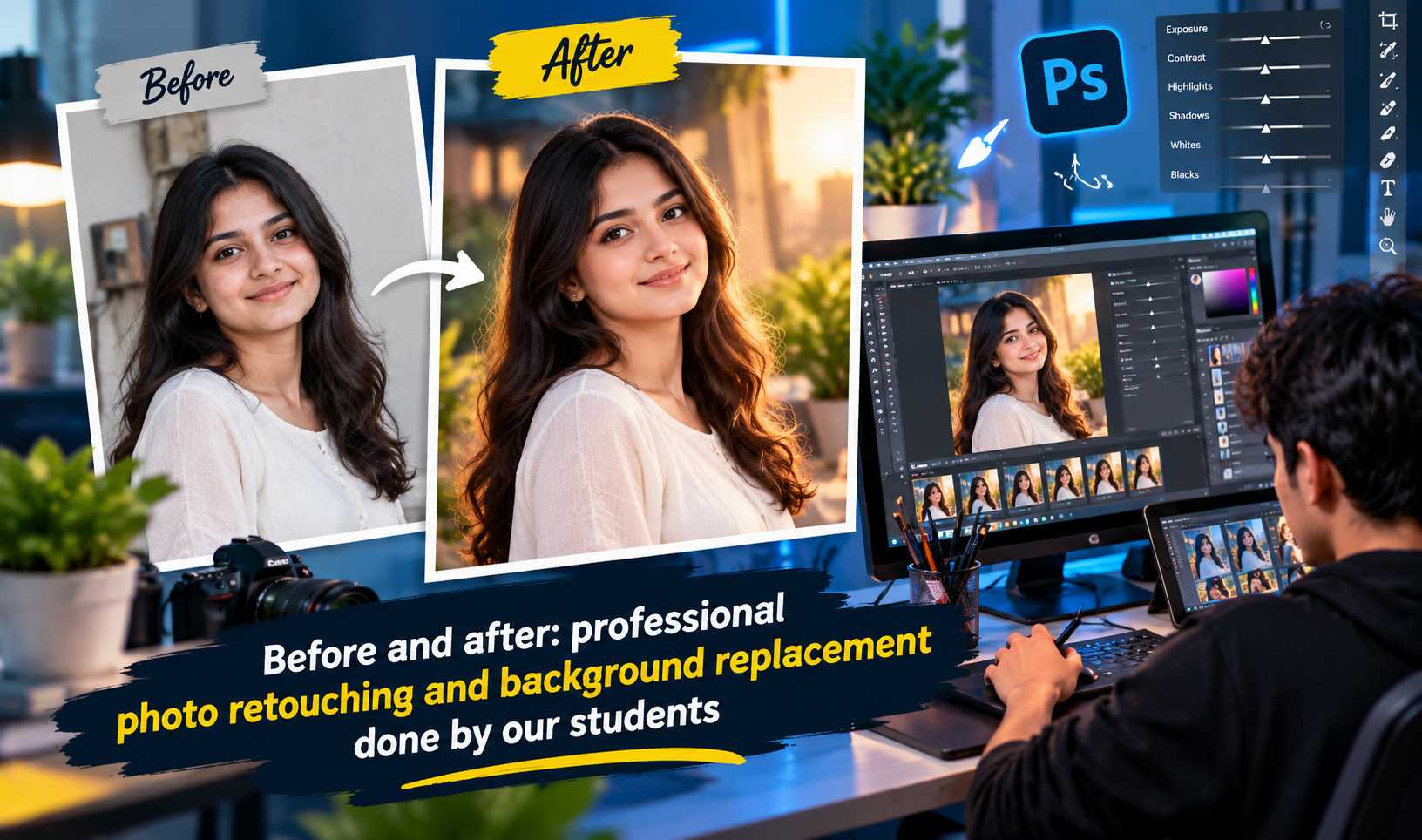
You learn skin retouching, blemish removal, frequency separation basics, teeth whitening, body reshaping, background cleanup and restoring old or damaged photographs.
5. Colour Correction and Grading
Understand levels, curves, hue/saturation, colour balance and selective colour. You learn to fix lighting problems and give photos a professional, cinematic look.
6. Typography and Text Effects
Learn to pair fonts, build text hierarchy, apply effects and design eye-catching headlines for posters, flyers and social media.
7. Graphic Design Projects
Apply your skills on practical work: visiting cards, brochures, posters, banners, YouTube thumbnails, Instagram posts, wedding invitations and product advertisements.
8. Photo Manipulation and Digital Art
Combine multiple images into creative compositions, build realistic composites, and explore digital painting and artistic effects.
9. Web and Social Media Graphics
Learn to design website banners, social media templates and e-commerce product images, and export them optimised for fast loading.
10. Print Preparation and Portfolio Building
Understand bleed, margins, DPI, colour profiles and file export for printers. You finish the course by building a portfolio of your best work.
Skills You Will Gain
By the end of the Adobe Photoshop course, you will be able to:
Edit and retouch photos like a professional
Design marketing creatives for print and digital media
Remove and replace backgrounds with precision
Create product mockups and advertisements
Work with layers and masks confidently
Prepare print-ready and web-ready files
Build a portfolio to show clients and employers
Career Opportunities After Photoshop Training
Photoshop skills lead to many career paths, in Ludhiana and beyond:
Graphic Designer
Photo Editor / Retoucher
Social Media Designer
Creative Artist
Wedding Album Designer
Advertising and Marketing Designer
E-commerce Image Editor
Freelance Designer
Local employers include advertising agencies, printing presses, photography studios, garment and textile companies, digital marketing agencies and online brands. Many learners also start freelancing on platforms such as Fiverr and Upwork, earning from home while they build experience.
Why Choose a Classroom Course in Ludhiana?
Online tutorials are everywhere, but a structured classroom course offers advantages that self-learning cannot match:
Guided learning path so you never waste time wondering what to learn next
Live feedback from experienced trainers who correct mistakes on the spot
Hands-on practice on high-performance computers with licensed software
Real-world projects that mirror what clients and employers actually ask for
Doubt clearing in person instead of searching endlessly online
Peer environment where you learn and grow with other creative learners
Certification that adds value to your resume
What to Look for in a Photoshop Institute
Before you enrol, check these points:
Experienced trainers with real industry experience, not just theory
Updated syllabus covering the latest Photoshop version and features such as Generative Fill and AI-assisted tools
Practical focus with at least 70% of class time spent on hands-on work
Small batch sizes so every student gets attention
Flexible timings with morning, evening and weekend batches
Portfolio support and guidance for jobs or freelancing
Fair, transparent fees with no hidden charges
Course Duration and Fees
The duration of a Photoshop course in Ludhiana usually ranges from 1 to 3 months, depending on whether you choose a basic, advanced or professional program. Classes are offered in regular, fast-track and weekend formats. Fees vary by institute, course length and the extras included, so it is best to visit the institute, attend a demo class and compare before deciding.
Photoshop and the Power of AI
Photoshop now includes AI-powered features that speed up editing, such as generative fill, object removal and smart selection. Learning these tools alongside core manual skills makes you faster and more valuable in the job market. Good training teaches both: the fundamentals that give you control, and the new tools that save time.
Frequently Asked Questions
Is Photoshop difficult to learn?
Not at all. With the right guidance and regular practice, beginners can start creating professional-looking designs within a few weeks.
Do I need a laptop to join?
Most institutes provide computers for practice during class, but having your own laptop helps you practise at home.
Can I get a job after this course?
Yes. Photoshop is a core skill for design, advertising, photography and e-commerce roles, and a strong portfolio helps you land jobs or freelance work.
Is this course good for photographers?
Absolutely. Photographers use Photoshop daily for retouching, colour grading and album design.
Will I get a certificate?
Most reputed institutes provide a course completion certificate, which supports your job applications.
Start Your Creative Journey Today
If you want a skill that is in demand, flexible and creative, the Adobe Photoshop course in Ludhiana is an excellent place to begin. With hands-on training, real projects and a portfolio to show for your effort, you can step confidently into design, editing or freelancing.
Book a free demo class today and take the first step toward a creative career
Photoshop Course Curriculum
Our Photoshop training in Ludhiana covers everything from basics to advanced professional techniques:
(Numbered list)
Introduction to Photoshop: interface, tools, file formats, resolution, RGB and CMYK
Selections and Cutouts: Lasso, Quick Selection, Pen tool, Select and Mask
Layers, Masks and Blending Modes: adjustment layers, smart objects, non-destructive editing
Photo Retouching: skin retouching, blemish removal, background cleanup, photo restoration
Colour Correction and Grading: levels, curves, hue/saturation, cinematic looks
Typography and Text Effects: font pairing, hierarchy, headline design
Graphic Design Projects: visiting cards, brochures, posters, banners, thumbnails
Photo Manipulation and Digital Art: composites, creative effects, digital painting
Web and Social Media Graphics: website banners, Instagram posts, product images
Print Preparation and Portfolio: bleed, DPI, colour profiles, exporting, portfolio building
Photo Editing and Retouching
Tell us whatyou wantto create.
A few lines about yourself and the course you're interested in. Our admissions team replies within two working days, and you can book a free campus visit or demo class.
Call admissions→Or send an enquiry to your nearest campus- Phone
- +91 98881 22241
- Address
- 1st Floor, IAM, Crystal Plaza, SCS 78, opp. PIMS Hospital, Jalandhar, Punjab 144001