"Adobe Animate Course in Ludhiana "
Adobe Animate Course in Ludhiana: Learn 2D Animation From Scratch
Animation is no longer limited to big studios in Mumbai or Bengaluru. Today, brands, YouTubers, schools, and app developers all need animated content, and students in Punjab can build a real career in this field. If you want to learn 2D animation with an industry-standard tool, an Adobe Animate course in Ludhiana is one of the best places to begin.
This page explains what Adobe Animate is, what you will learn, who can join, and what career options open up after training.
What Is Adobe Animate?
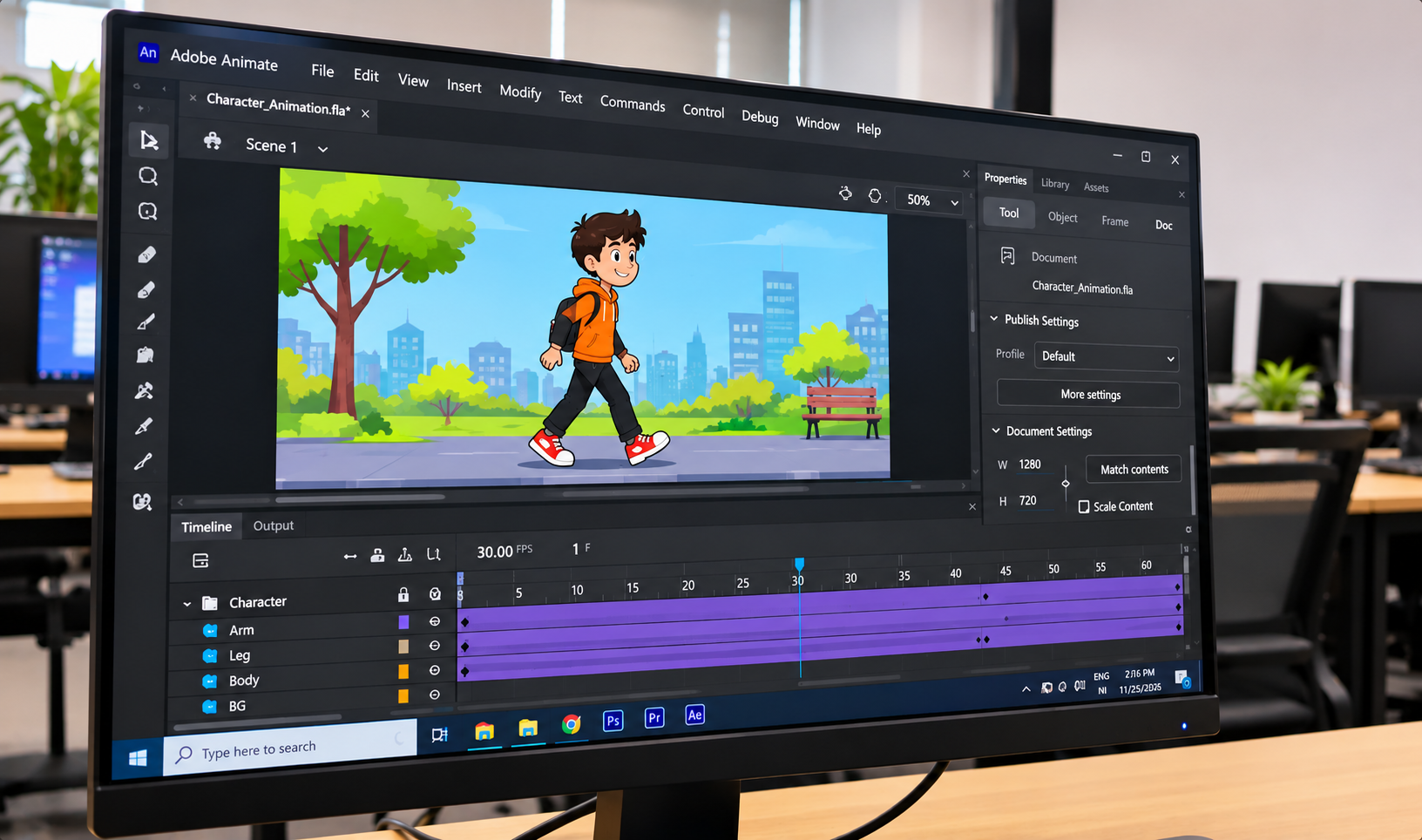
Adobe Animate (earlier known as Flash Professional) is a leading software for creating 2D animation, vector animation, interactive content, cartoons, and web animations. It lets you draw, rig, animate, and export your work for YouTube, social media, websites, mobile apps, and games.
Because it uses vector graphics, your artwork stays sharp at any size. It also works smoothly with Photoshop, Illustrator, After Effects, and Premiere Pro, which makes it a core part of any professional 2D animation course in Ludhiana.
Why Choose an Adobe Animate Course in Ludhiana?
Ludhiana is a growing hub for business, manufacturing, education, and media. Local companies, ad agencies, schools, and content creators regularly need explainer videos, cartoon characters, and animated ads. Learning in your own city offers clear benefits:
Practical, classroom-based training with a trainer beside you
No relocation costs, so you save on rent and travel
Local job and freelance opportunities with Ludhiana businesses
Flexible batches for school students, college students, and working professionals
Hands-on projects that build a ready portfolio
Adobe Animate Course Syllabus
A good Adobe Animate training in Ludhiana should take you from the basics to professional-level work. Here is what a complete course covers.
Module 1: Introduction to 2D Animation
Principles of animation (squash and stretch, anticipation, timing, arcs, follow-through)
Understanding frames, keyframes, and frame rate
Workflow of a 2D animation project, from idea to final export
Module 2: Adobe Animate Interface and Tools
Workspace, timeline, stage, and library panel
Drawing tools, brush tool, pen tool, and shape tools
Colour, gradients, and swatches
Layers, folders, and masks
Module 3: Vector Drawing and Character Design
Creating characters, props, and backgrounds
Using symbols: graphic, movie clip, and button
Building reusable character libraries
Module 4: Frame-by-Frame and Tween Animation
Classic tween, motion tween, and shape tween
Bouncing ball, walk cycle, and run cycle
Easing and motion editor
Lip-sync basics
Module 5: Rigging and Character Animation
Bone tool and asset warp tool
Rigging characters for smooth movement
Camera tool, parallax, and depth effects
Module 6: Sound and Audio Sync
Importing and syncing voice-over, music, and effects
Dialogue timing and scene pacing
Module 7: Interactive Animation and Basic Scripting
Creating clickable buttons and interactive banners
Introduction to HTML5 Canvas and ActionScript basics
Animated web ads and e-learning content
Module 8: Exporting and Publishing
Exporting MP4, GIF, SVG, and HTML5
Publishing for YouTube, Instagram, websites, and mobile
Final render and file management
Module 9: Portfolio and Showreel
Completing a short animated film or explainer video
Building a professional portfolio and showreel
Interview and freelancing guidance
Software and Skills You Will Learn
Along with Adobe Animate, students are often introduced to related tools so their skills match what studios expect:
Adobe Photoshop for backgrounds and textures
Adobe Illustrator for vector character design
Adobe After Effects for compositing and effects
Adobe Premiere Pro for editing and final output
Basic storyboarding and scriptwriting
Who Can Join This Course?
You do not need an animation background. This course suits:
Class 10 and 12 students who love drawing, cartoons, or creative work
College students looking for a skill-based career option
Graphic designers who want to move into motion and animation
YouTubers and content creators who want animated videos
Teachers and trainers who want to create animated lessons
Freelancers and business owners who want to make their own promotional animations
If you can use a computer and are curious about creating moving visuals, you can start.
Career Opportunities After an Adobe Animate Course
Skilled 2D animators are in demand across several industries. After completing an animation course in Ludhiana, you can work as:
2D Animator
Character Animator
Motion Graphics Artist
Explainer Video Creator
Cartoon and Web Series Animator
E-learning Content Developer
Game Artist (2D games)
Storyboard Artist
Freelance Animator
You can find work in animation studios, advertising agencies, educational companies, YouTube channels, gaming companies, and production houses. Many students also start freelancing on platforms like Fiverr and Upwork, or take local clients in Ludhiana, Chandigarh, Jalandhar, and across Punjab.
Why Learn Adobe Animate Over Other Software?
Beginner friendly with a simple, visual timeline
Fast production for cartoons, explainers, and ads
Flexible output for video, web, and interactive formats
Industry recognised and widely used in 2D production
Affordable path into the animation and VFX industry compared to complex 3D software
What Makes a Good Adobe Animate Course?
When comparing options for an Adobe Animate course in Ludhiana, look for these points:
Experienced trainers who have worked on real projects
Updated syllabus based on the latest Adobe Animate version
Live projects instead of only theory
Small batch sizes for personal attention
Portfolio support and placement or freelance guidance
Certificate on completion
Well-equipped computer lab with licensed or properly configured software
Course Duration and Batches
Duration usually ranges from 2 to 6 months, depending on the level (basic, advanced, or professional). Most institutes offer morning, afternoon, evening, and weekend batches so you can learn alongside school, college, or a job.
Frequently Asked Questions
Is drawing necessary to learn Adobe Animate?
Not at all. Basic drawing helps, but the tools are designed so beginners can create shapes and characters from scratch. Skills improve with practice.
Can I learn Adobe Animate after 12th?
Yes. Many students join right after 12th to start a career in animation and multimedia.
Is Adobe Animate good for a career?
Yes. It remains a strong choice for 2D animation, web animation, and explainer videos, and it opens the door to related fields like motion graphics and game design.
Will I get a certificate?
Most reputed institutes provide a course completion certificate along with portfolio guidance.
Can I work as a freelancer after this course?
Yes. With a good portfolio, you can take freelance projects such as animated logos, explainer videos, cartoons, and social media content.
Start Your Animation Journey in Ludhiana
If you have ever wanted to bring your drawings to life, now is the right time. An Adobe Animate course in Ludhiana gives you the skills, confidence, and portfolio to enter the growing world of 2D animation, whether you want a job, a freelance career, or a creative skill for your own channel or business.
Enrol today, book a free demo class, and take your first step toward becoming a professional animator.
Heading: Who Can Join This Course?
Class 10 and 12 students who love drawing, cartoons, or creative work
College students looking for a skill-based career option
Graphic designers who want to move into motion and animation
YouTubers and content creators who want animated videos
Teachers and trainers who want to create animated lessons
Freelancers and business owners who want to make their own promotional animations
If you can use a computer and are curious about creating moving visuals, you can start.
Tell us whatyou wantto create.
A few lines about yourself and the course you're interested in. Our admissions team replies within two working days, and you can book a free campus visit or demo class.
Call admissions→Or send an enquiry to your nearest campus- Phone
- +91 98881 22241
- Address
- 1st Floor, IAM, Crystal Plaza, SCS 78, opp. PIMS Hospital, Jalandhar, Punjab 144001