"Adobe Animate Course in Amritsar "
Adobe Animate Course in Amritsar: Learn 2D Animation From Scratch
Animation is one of the fastest-growing creative careers in India. From YouTube explainers and Instagram cartoons to e-learning videos, web banners and mobile games, businesses need 2D animators every day. If you live in Amritsar and want to build skills in this field, an Adobe Animate course in Amritsar is one of the smartest places to start.
This page explains what Adobe Animate is, what you will learn, who can join, and the careers it can lead to.
What Is Adobe Animate?
Adobe Animate is professional 2D animation software used to create cartoons, character animation, motion graphics, interactive content, banner ads and game assets. It was earlier known as Flash Professional and has been rebuilt for modern output such as HTML5 Canvas, video, GIF and social media formats.
Animate is popular because it combines drawing tools, a flexible timeline and powerful rigging features in one workspace. Students can learn frame-by-frame animation, tweening and character rigging without needing years of experience.
Why Choose an Adobe Animate Course in Amritsar?
Amritsar has a growing community of students, freelancers, small businesses and content creators. Demand for local video, advertising and social media content is rising, and many brands want animated explainers, logo animations and promotional videos.
Learning 2D animation in Amritsar gives you:
Practical training close to home, without relocating to a metro city
Hands-on practice with industry-standard animation software
Portfolio-building projects you can show to clients and employers
Freelance opportunities with local and online clients
A strong base for advanced courses in 3D animation, VFX and game design
Course Highlights
A good Adobe Animate training in Amritsar should be project-based, beginner-friendly and focused on real output. Here is what a complete course typically covers.
1. Introduction to 2D Animation
You begin with the basics: how animation works, the twelve principles of animation, frame rate, storyboarding and the production pipeline from idea to final export.
2. Adobe Animate Interface and Tools
Learn the stage, timeline, layers, library panel, properties panel and drawing tools. You will practise the brush, pen, shape and selection tools to create clean vector artwork.
3. Drawing and Character Design
Create original characters, props and backgrounds using vector tools. You will learn colour palettes, line quality and how to design characters that are easy to animate.
4. Frame-by-Frame Animation
Understand keyframes, blank keyframes, onion skinning and timing. Practise classic exercises such as the bouncing ball, walk cycle and run cycle.
5. Motion Tween, Shape Tween and Classic Tween
Explore the main tweening methods in Adobe Animate, including easing and motion paths, to create smooth movement with less manual drawing.
6. Symbols, Movie Clips and Graphics
Learn how to build reusable assets. Symbols and movie clips help you animate faster and keep projects organised.
7. Character Rigging with the Asset Warp and Bone Tools
Rig characters with bones, joints and pins so they can move naturally. This is a key skill for 2D character animation and cut-out style work.
8. Lip Sync and Sound
Add voice-over, music and sound effects. You will learn lip-sync techniques so your characters speak convincingly.
9. Camera and Scene Composition
Use the camera tool, parallax layers and transitions to give your animation depth and a professional cinematic feel.
10. Interactive Animation Basics
Get an introduction to ActionScript and HTML5 Canvas to create simple interactive content such as buttons, quizzes and banner ads.
11. Export and Publishing
Export your work as MP4 video, GIF, HTML5, sprite sheets and image sequences for YouTube, Instagram, websites and mobile apps.
12. Final Project and Portfolio
Finish with a complete short animation, such as an explainer video, a cartoon scene or an animated advertisement, which becomes the centrepiece of your animation portfolio.
Software and Skills You Will Gain
Adobe Animate (main software)
Basics of Adobe Photoshop and Illustrator for asset creation
Adobe Audition or Premiere Pro basics for sound and final editing
Storyboarding and scriptwriting
Timing, spacing and animation principles
Rigging and cut-out animation
Portfolio and showreel creation
Who Can Join This Course?
The course is designed for many types of learners:
Students after 10th or 12th who want a creative career
Graduates looking to switch to animation or media
Graphic designers who want to add motion skills
YouTubers and content creators who want animated videos
Teachers and trainers who want to create engaging e-learning content
Freelancers and small business owners who want to make their own promotional animations
No prior animation experience is required. If you can draw a little, that helps, but it is not compulsory. A good trainer will teach you from zero.
Course Duration and Learning Mode
Most Adobe Animate courses run from 2 to 4 months, depending on the depth of the syllabus and the batch timing. Many institutes offer weekday, weekend and fast-track batches so school students, college students and working professionals can all attend. Classroom training with live practice is usually more effective than purely recorded lessons, because you get instant feedback on your work.
Career Opportunities After Learning Adobe Animate
After completing an Adobe Animate course, you can explore roles such as:
2D Animator
Explainer Video Artist
Motion Graphics Artist
Cartoon and Character Animator
Web and Banner Animation Designer
E-learning Content Developer
Game Asset Animator
Freelance Animation Artist
You can work with animation studios, advertising agencies, digital marketing companies, ed-tech firms and media houses, or start freelancing on platforms like Fiverr and Upwork. Many students also begin by creating animated content for their own YouTube channel or Instagram page.
Why Practical Training Matters
Animation cannot be learned only by reading. The best animation course in Amritsar will make you practise daily: drawing, timing, animating and fixing mistakes. Look for a course that offers:
Experienced trainers with real industry knowledge
Small batch sizes for individual attention
Computer lab access with updated software
Regular assignments and project reviews
Portfolio and showreel guidance
Placement or freelance support
How to Choose the Right Institute in Amritsar
Before enrolling, visit the institute and check these points:
Syllabus: Does it cover rigging, lip sync and export, not just basic tools?
Trainer experience: Have the instructors worked on real animation projects?
Student work: Ask to see previous students' animations.
Lab facilities: Are systems fast enough for animation work?
Demo class: Attend a trial session before paying fees.
Certification: Check whether a recognised certificate is provided.
Frequently Asked Questions
Is Adobe Animate good for beginners?
Yes. Its interface is simple, and you can create your first animation within a few days.
Do I need to know drawing?
Basic drawing helps, but you will learn character design and vector drawing during the course.
Can I earn money after this course?
Yes. Many learners start with freelance explainer videos, social media animations and banner ads while building experience.
What is the difference between Adobe Animate and After Effects?
Animate is mainly for drawing and animating characters and scenes. After Effects is used mostly for motion graphics, compositing and visual effects. Many animators learn both.
Start Your Animation Journey Today
If you are searching for an Adobe Animate course in Amritsar, now is a great time to begin. With the right training, regular practice and a strong portfolio, you can turn your creativity into a rewarding career in 2D animation, motion design and digital media.
Visit our centre, attend a free demo class and take your first step into the world of animation.
Start Your Animation Journey Today
Animation is one of the fastest-growing creative careers in India. From YouTube explainers and Instagram cartoons to e-learning videos, web banners and mobile games, businesses need 2D animators every day. If you live in Amritsar and want to build skills in this field, an Adobe Animate course in Amritsar is one of the smartest places to start.
Adobe Animate is professional 2D animation software used to create cartoons, character animation, motion graphics, interactive content, banner ads and game assets. It was earlier known as Flash Professional and now exports to HTML5 Canvas, video, GIF and social media formats. Students can learn frame-by-frame animation, tweening and character rigging without years of experience.
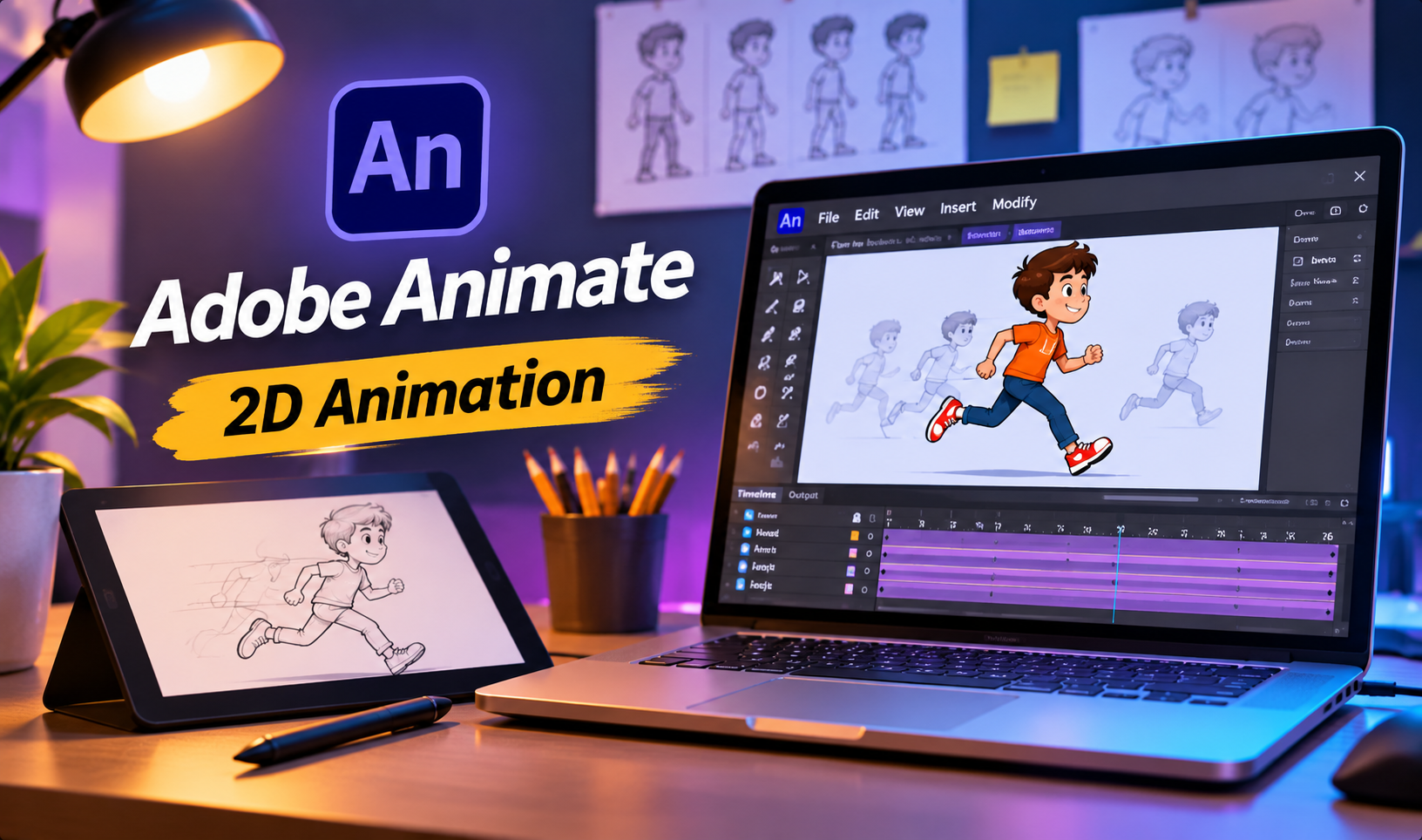
(Add an Image block here: a screenshot of the Animate workspace or student artwork. Alt text: "Adobe Animate course in Amritsar")
Tell us whatyou wantto create.
A few lines about yourself and the course you're interested in. Our admissions team replies within two working days, and you can book a free campus visit or demo class.
Call admissions→Or send an enquiry to your nearest campus- Phone
- +91 98881 22241
- Address
- 1st Floor, IAM, Crystal Plaza, SCS 78, opp. PIMS Hospital, Jalandhar, Punjab 144001